


July 2026 Product Update


If we could boil down how collaboration works in our beloved localization industry, we could say this: we move files and content around, and we talk with people by sharing content.
We are always attaching content somewhere, to an email to send to a person, or to translation/AI tools. Asking for a quote, sending to the translation agency, sharing with the linguist, extracting a glossary. So much content manipulation, so many files traveling around.
This month, we are redefining how collaboration works at wxrks. Now you can share a project with another wxrks account, all of its content, with all the knowledge that comes with it.
If sharing files is so intrinsic to our activity, we are making a way to never miss a piece of context. This, plus new ways to help you translate with more flexibility.
Here's what's new.
Work Packages: Share Projects Between Accounts
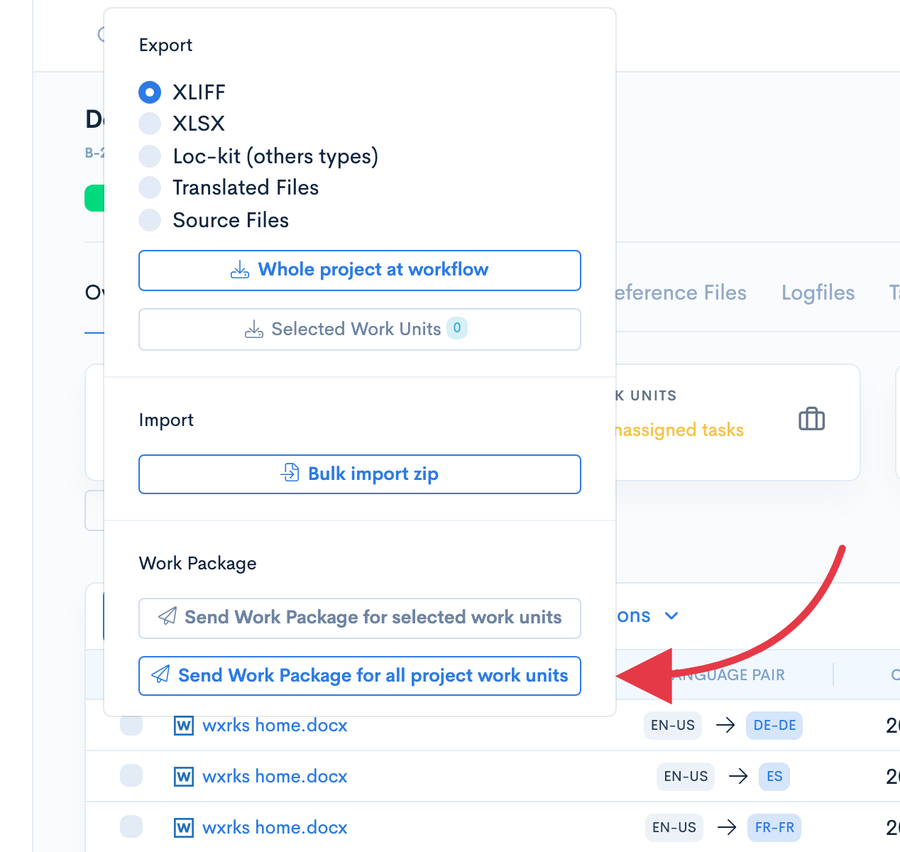
A translation project rarely belongs to a single company. Clients work with agencies, agencies with linguists, and so on.
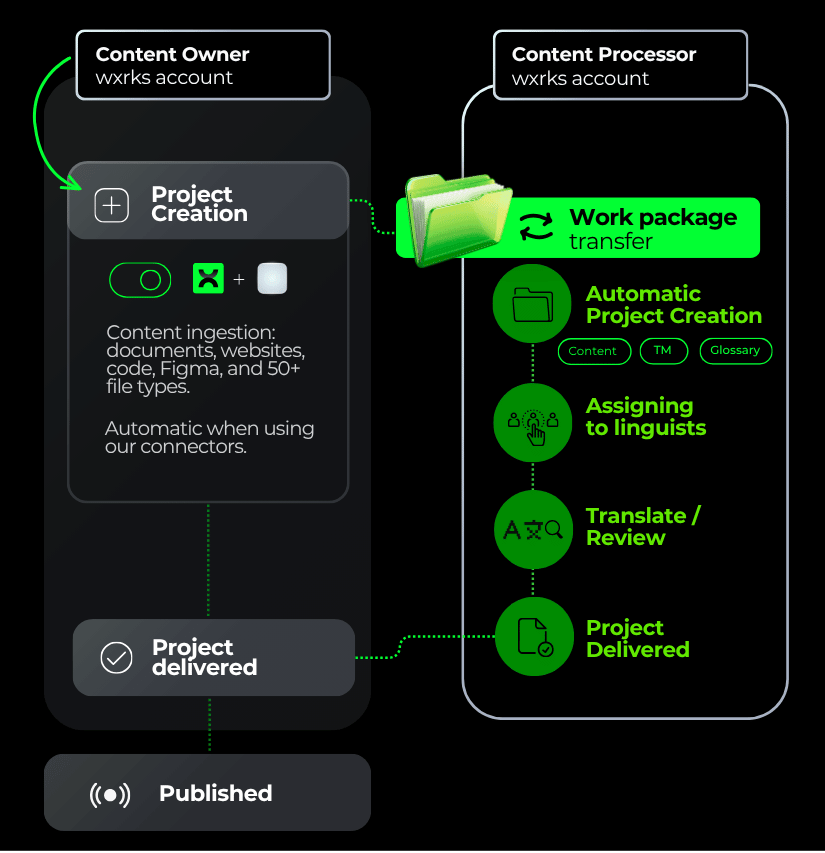
With Work Packages, you can now share an entire project from one wxrks account to another, and the knowledge goes along with it. The attached Translation Memory and glossary travel with the Work Package.
Let's imagine a company needs to translate its website, Figma designs, files, or code:
- The project is automatically created in the Content Owner's wxrks account.
- Just as automatically, it appears in the Content Processor's wxrks account.
- The Content Processor works on the project and marks it as delivered.
- The Content Owner's wxrks updates automatically, and
- The content is published.
With all the right context attached, including the TM and glossary, there's less chance of losing a piece of context along the way.
Translation quality improves through better Context-Sensitivity, and linguists get more context to work with.
Feel free to explore and let us know if this feature helps your workflow.
Smells at Scale, with a Confidence Score
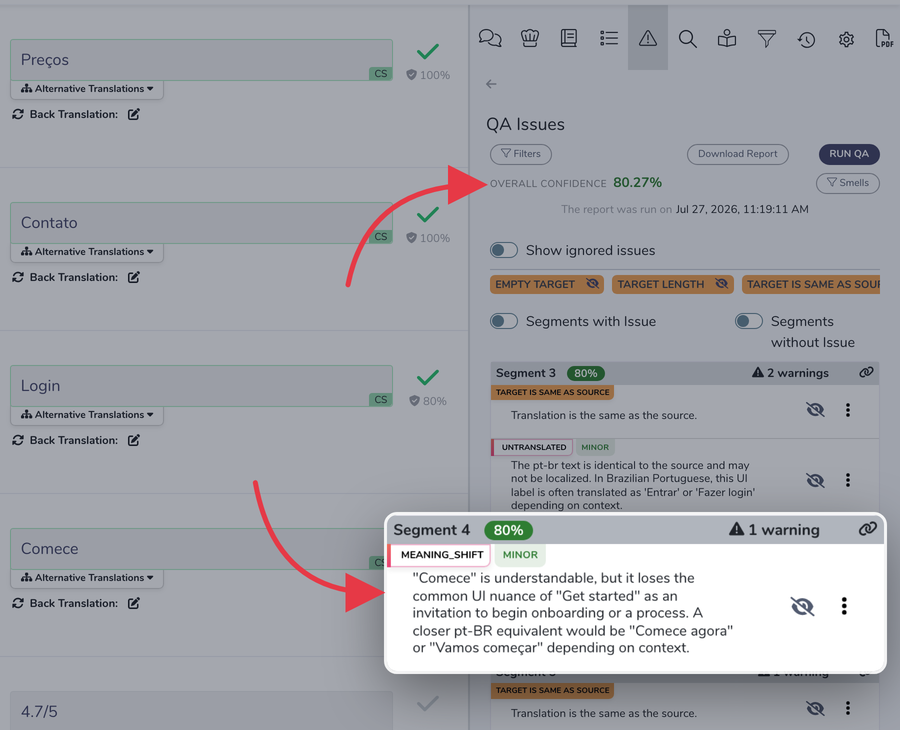
We have said it before. You can't fix a percentage. A score tells you how worried to be, not what to fix.
That's why this score is different. You can now run Smells, our semantic verifier that flags potential meaning deviations, in bulk, together with QA Check, and get a Confidence Score for every segment, plus an overall score for the Work Unit. Every number is backed by something you can act on.
One pass, whole Work Unit. Smells and QA Check together, instead of spot checks. See exactly where to spend your attention first.
The number tells you where to look. Smells tells you what to fix.
Rich Text Formatting, Markdown Preview and Cleaner Tags
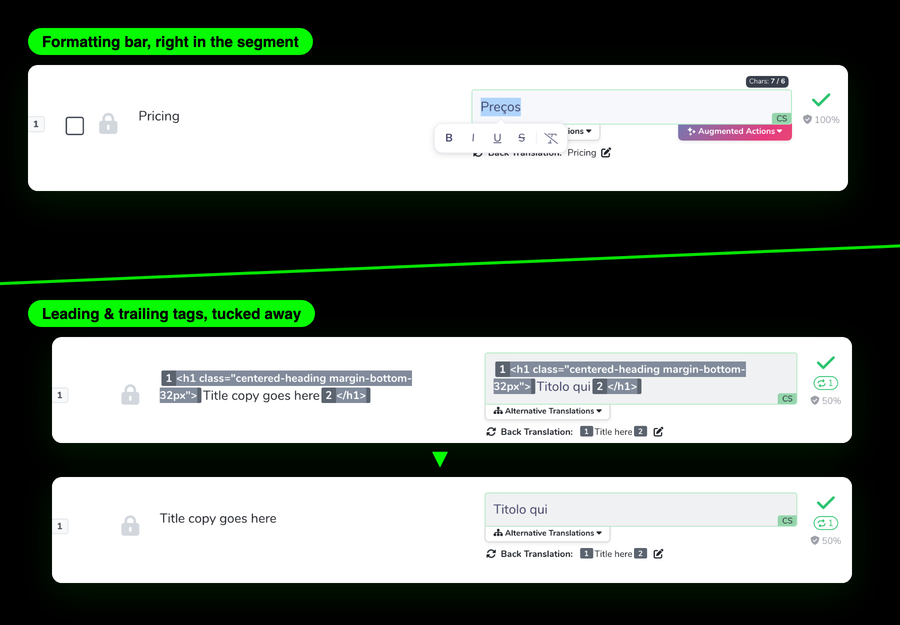
An author's screen should look like the content, not the machinery behind it. Three Editor updates this month serve that idea:
Formatting bar in the segment. Shape the target text visually, right where you write.
Markdown, rendered. Markdown files now preview formatted in the Editor. You see the document, not the syntax.
Hide leading and trailing tags. A new preference tucks away start- and end-of-segment tags. Still there, still safe, just out of your line of sight.
Fewer distractions between you and the text. That's what flow is made of.
Configurable Project Columns: Your Table, Your Layout
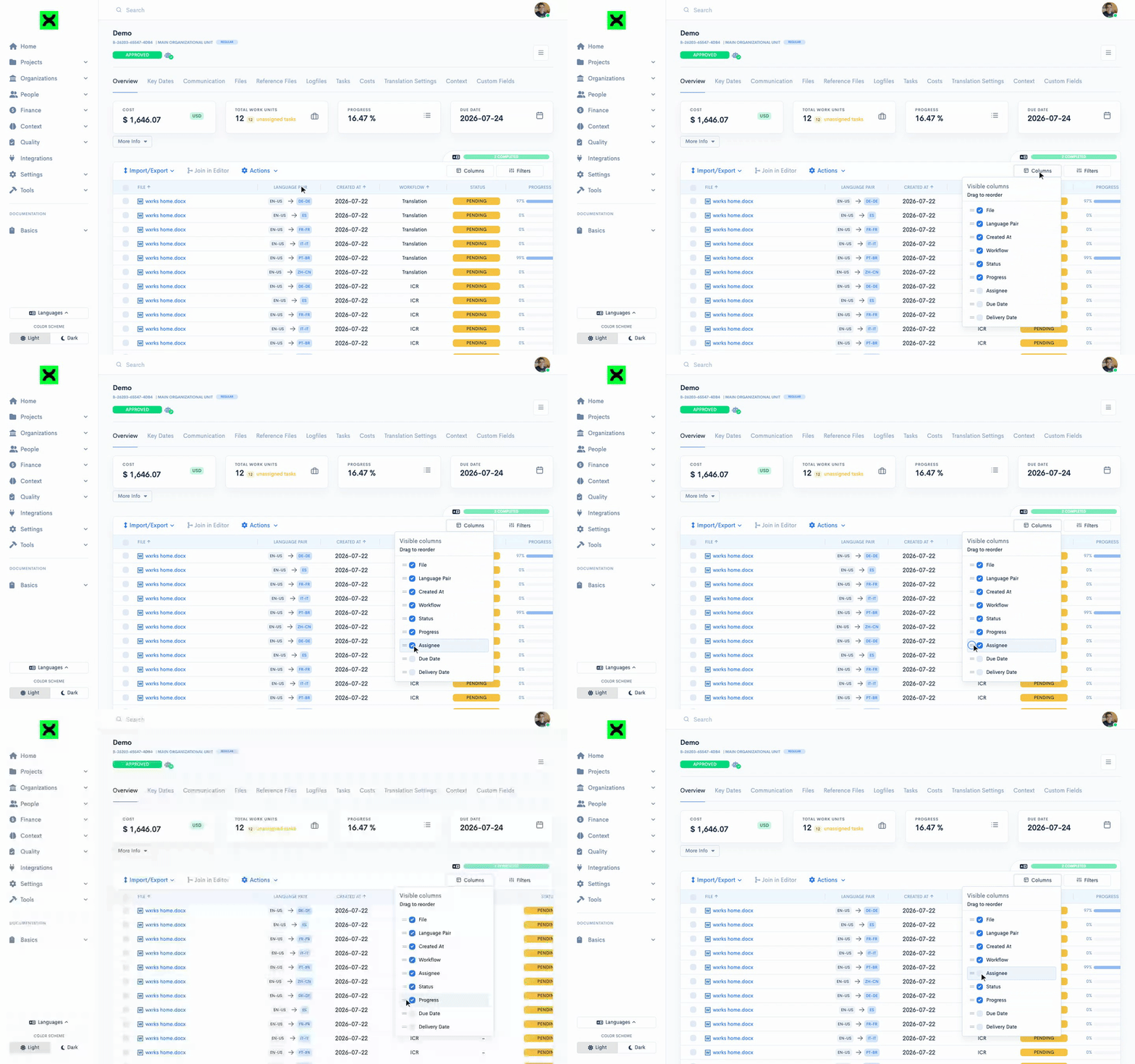
No two teams read a project the same way. Some live by due dates, others by assignees, others by progress.
The Overview and Tasks tables are now yours to shape. Add, remove, and drag columns into the order you actually scan. Your table, your layout.
Less scrolling past what you don't need. More of what you check first.
Keynote, Pages, and Numbers: wxrks Now Speaks Apple
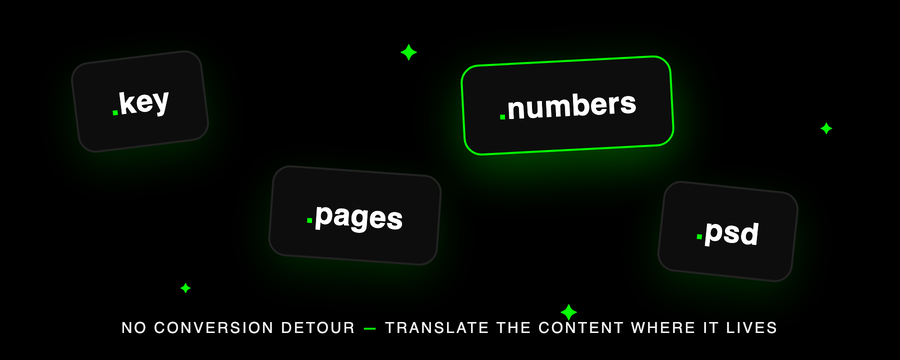
The deck for the global launch is in Keynote. The one-pager is in Pages. The pricing sheet lives in Numbers.
With our upgraded Okapi engine, the Apple family is now part of the wxrks family, alongside Photoshop (PSD) files and finer control over how existing formats are handled.
New file types. Keynote, Pages, Numbers, and PSD, with no conversion detour.
New parameters. More control over how formats are parsed and filtered, so edge-case files stop being edge cases.
Translate the content where it lives.
New Connectors for Knak, Webflow, Optimizely, and QuickBooks
We opened this issue with content traveling by hand. Connectors are the other half of that answer. Content that never has to travel at all.
Four new ones this month.
Knak. Request translations without leaving your campaign builder. Every asset becomes its own project, so nothing sits waiting in a queue. Set up the Knak connector
Webflow. Collections, pages, and components go out together, and finished translations land in the right locale on their own. Your layout stays exactly as your designer built it. Set up the Webflow connector
Optimizely. Publish in Optimizely CMS and the translation starts by itself. Finished drafts come back to the matching locale, waiting for you to review and publish. How the Optimizely connector works
QuickBooks. Invoices and bills move between wxrks and your books, and payment status updates itself. How the QuickBooks connector works
Other Updates
Files by Workflow Step. See a project's files organized by the workflow step they're in, instead of one undifferentiated list.
Attachments. Attach reference files directly to the work, so context stops living in email threads.
Notification Controls. Configure consolidated allocation notification templates, plus task reminder and task update notifications. Decide what pings whom, and when.
Work Units by resource_uuid. A new public API endpoint returns Work Units by resource_uuid, making external integrations more precise.
Edit Distance, Segment by Segment. A new Metabase table consolidates edit_distance, TER score, and assigned-vendor time per segment, by Work Unit. Post-editing effort, finally measurable at its real grain.
We Joined the United Nations Global Compact
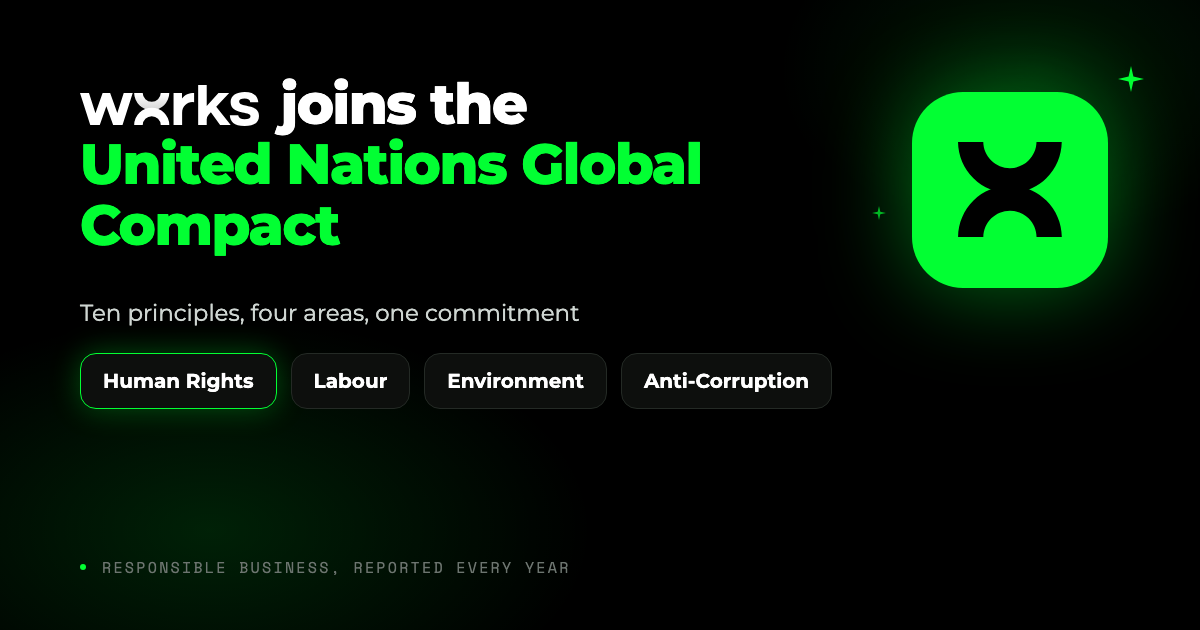
In July we joined the United Nations Global Compact, alongside more than 20,000 companies in over 160 countries that have signed the same ten principles covering human rights, labour, environment and anti-corruption.
It is voluntary to join and not casual to keep. Each year we publish a public report on how we uphold those principles, and anyone can read it and hold us to it.
We build software that keeps humans in charge of how meaning travels between languages. Now we answer for how we do it. Read the announcement
Foundations for Linguists, and a Certificate at the End
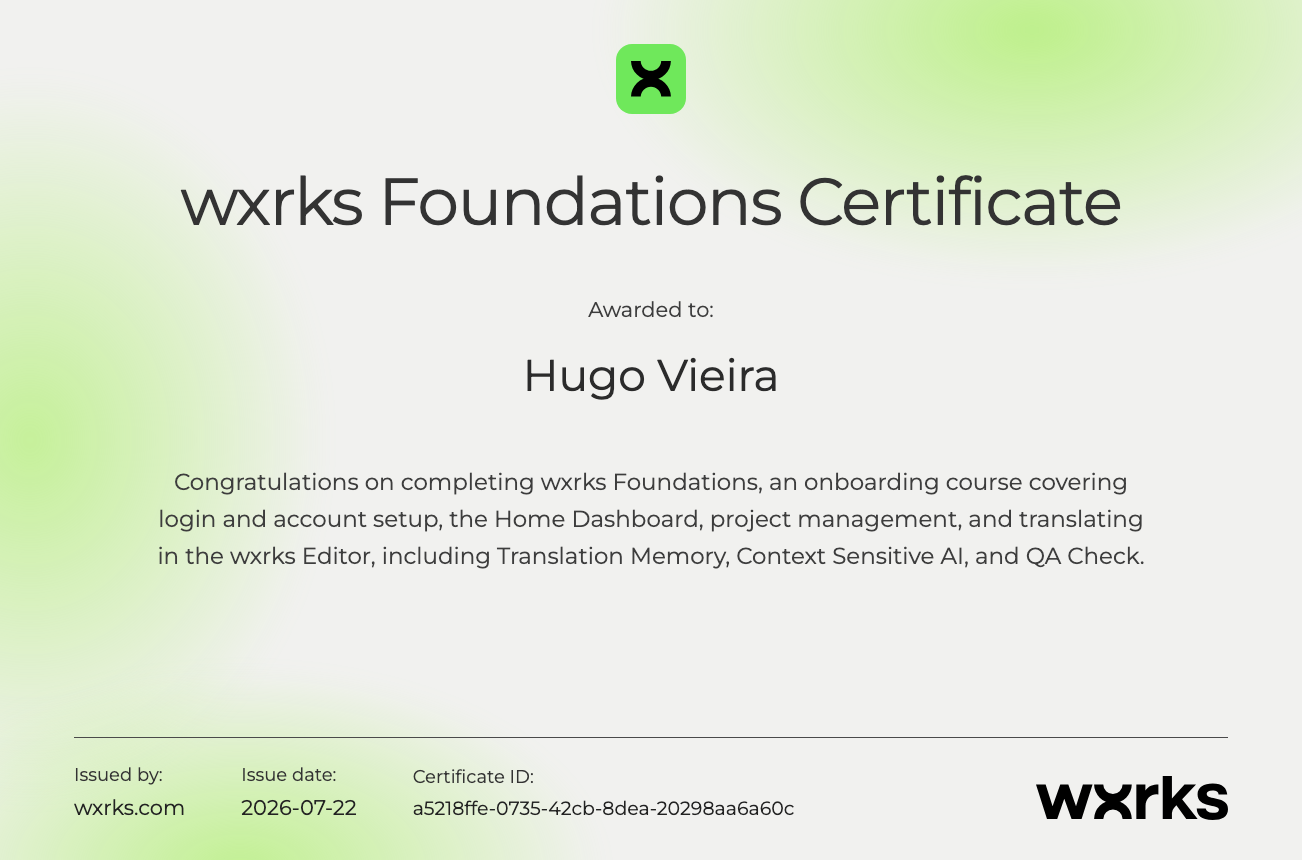
Linguists working in wxrks now have a proper on-ramp. Foundations for Linguists is a course in our community, ten lessons and a closing quiz that earns a certificate.
It runs from the first login through the Editor, covering context sensitivity, Sous-Chef, and how to submit your first task. Short lessons, taken in order, so nobody has to learn the platform by guessing.
Start Foundations for Linguists
Coca-Cola Europacific Partners, 41,000 Employees, and the LLMs Nobody Approved

Elitza Dublewa-Servatius runs Digital EX & Change at Coca-Cola Europacific Partners. She had 41,000 employees and AI tools spreading through all of them that nobody approved.
You don't fix that with a ban. We gave the demand a better place to go. One secure environment instead of a scattering of unsanctioned tools, handling the formats their teams actually work in, eLearning included. Every human edit trains it, so nobody fixes the same thing twice.
Elitza tells that story at SlatorCon. Gabriel covers the architecture that keeps it model-agnostic.
Grateful to have you with us. Let's move forward with purpose, together.
Let's make it happen, let's make it wxrks!
Unlock the power of glocalization with our Translation Management System.
Unlock the power of
with our Translation Management System.


.png)
.png)
.png)










