


Your team has already put work into its terminology, translation memory, and review process. Switching tools or starting the next job shouldn’t mean explaining all of it again.
In July, we focused on sharing projects with their context attached. This month, we’re extending that idea: connect wxrks to your AI tools, reuse the steps your team relies on, and keep a project open as new content arrives.
The aim is simple: carry the work your team has already done into what comes next. Here’s how these updates help.
wxrks MCP: Bring your language assets into your AI tools
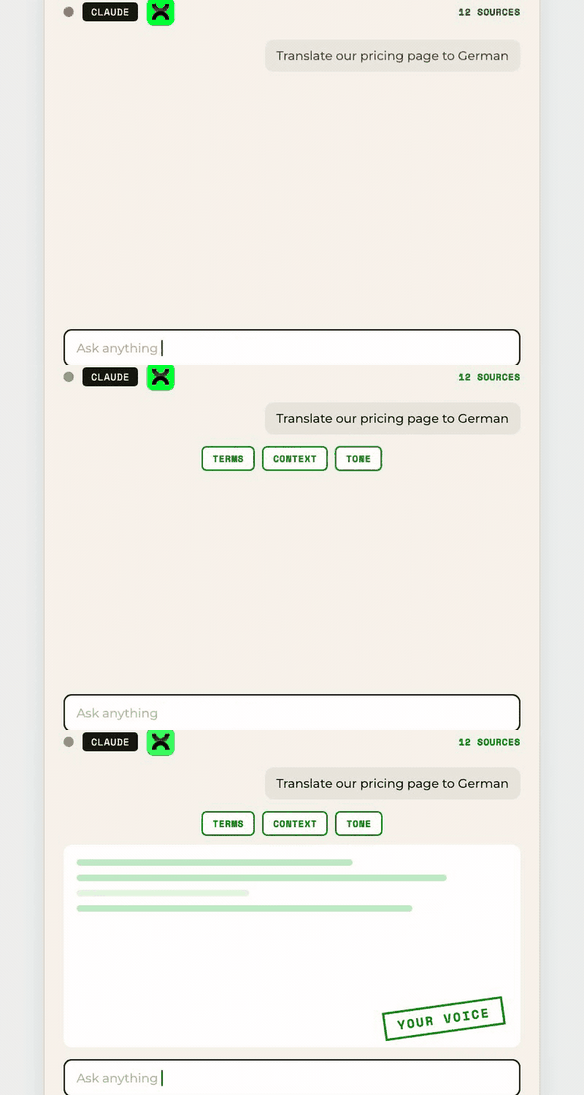
An AI assistant is more useful when it can reach the language resources your team already maintains.
With wxrks MCP, you can work with wxrks from Claude, Cursor, Codex, and OpenCode. Request a translation, search Translation Memory, or check approved terminology without leaving your assistant.
Your team’s terminology and translation memory become resources the assistant can consult. You spend less time moving between tools to find the context a task needs.
Workflow Groups: Set up the steps once, reuse them
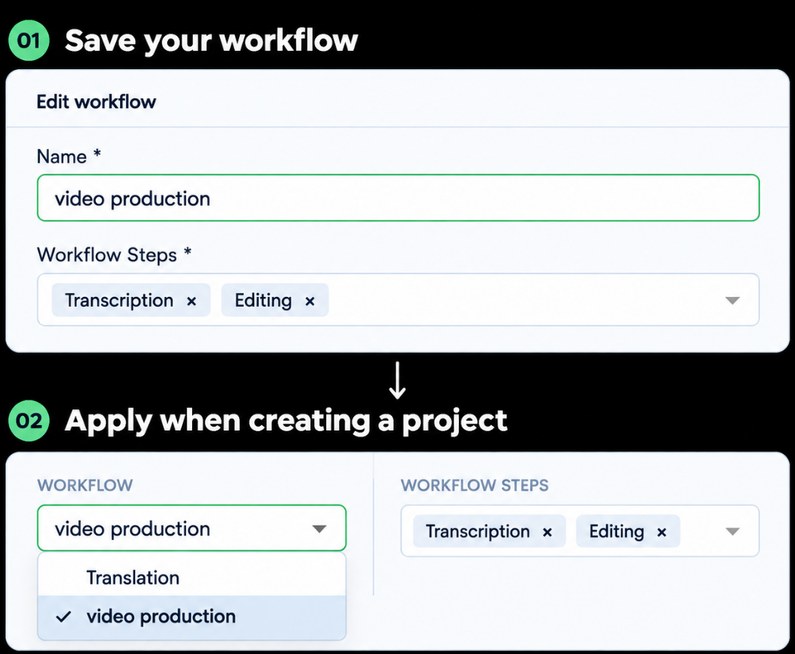
Keeping context connected also means keeping the process around it consistent.
Workflow Groups let you save a sequence of workflow steps under one name and apply it when you create a project. A video workflow, for example, can start with Transcription and Editing.
Reuse the sequence your team has agreed on, instead of rebuilding it for every project. The group adds its steps to the new project so work can follow the same process.
Watch: Save and reuse your workflow steps →
Continuous Project: Keep new content moving through the same setup
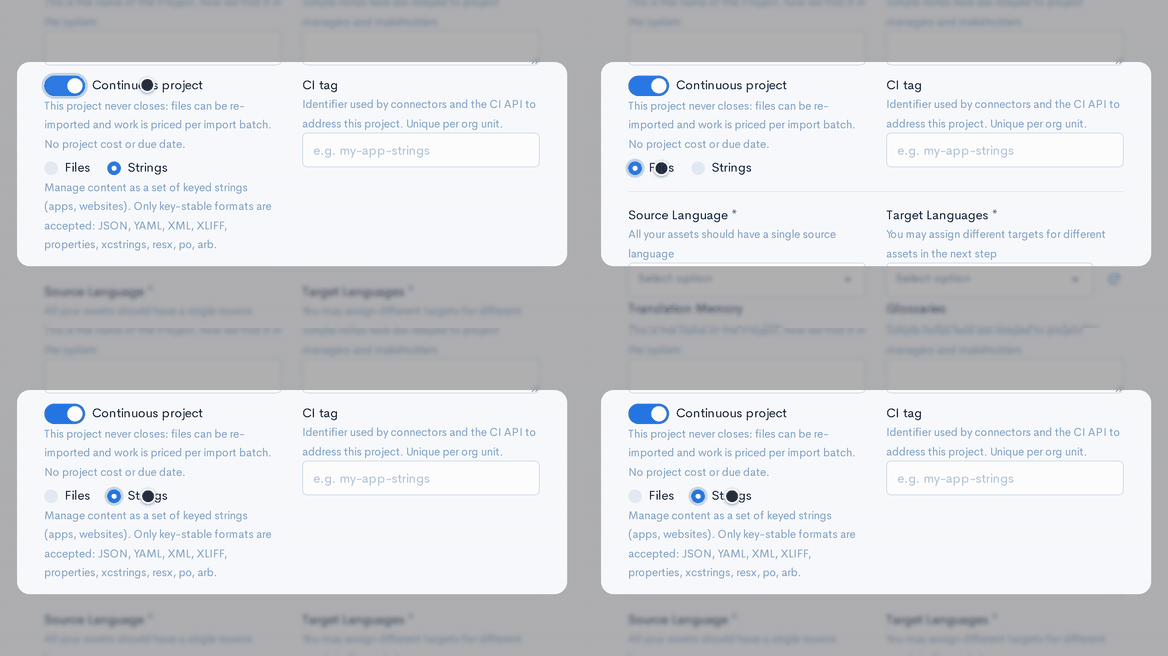
Apps and websites keep changing. Their translation work doesn’t always fit into a project with one final delivery.
Enable Continuous project and choose whether the content will arrive as files or strings. The project stays open as new content comes in.
Keep using the same project setup as the content changes. Your team can continue the work without creating a separate project for every update.
Watch: Set up a continuous project →
Read the guide: How Continuous Projects handle ongoing content →
Web Preview: See InDesign, PSD, and Figma content in context
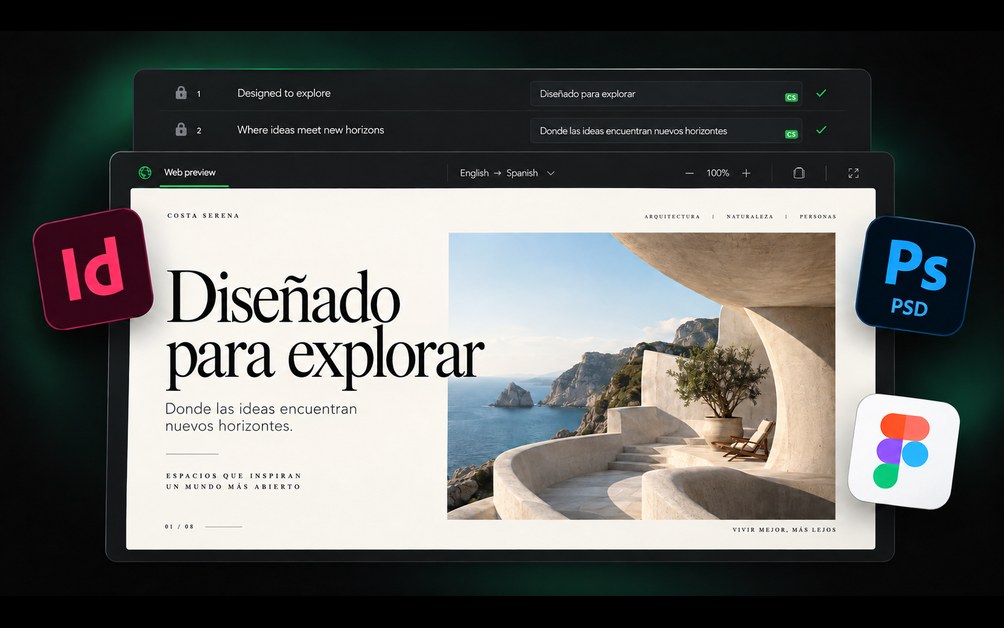
Words need context on the page, too. A translated sentence can be correct and still need adjustment for the space where it will appear.
Web Preview brings visual context for InDesign IDML, Photoshop PSD, and Figma into the Editor alongside your translation work.
See the surrounding design while you make language decisions. Check how the content fits and what the reader will see, with terminology and Translation Memory still within reach.
Watch: Translate Figma designs with the wxrks plugin →
Explore previews for Figma, Photoshop, and InDesign →
Other Updates
TM Metadata Filtering
Filter Translation Memory matches by metadata like project or client, so a linguist sees only the matches that apply.
QuickBooks Auto User ID Sync
User IDs between wxrks and QuickBooks now sync automatically, so invoices and bills match the right person without manual mapping.
How the QuickBooks integration connects invoices and payments →
Watch: QuickBooks Online setup, part 1 →
Audio and Video in Standard Projects
Add audio and video files alongside documents, so your team can track source media and translation files through review in one project.
Watch: Transcribe and translate audio and video →
TM Maintenance
Filter and edit Translation Memory entries, then apply bulk actions to keep your team’s shared language assets current.
Company News
wxrks is a G2 Leader for the first time
G2 named wxrks a Leader in the Translation Management Systems category for the first time. Thank you to the customers who shared their experience. Your reviews help other teams evaluate the platform and help us understand where to improve.
Hugo’s videos: The bigger picture, then the practical steps

Start with “4 things that make it different,” where Hugo explains AI Agents, Context-Sensitive Reasoning, Smart Terms, and Learning Terms. Then go deeper with practical walkthroughs of reusable workflows, continuous projects, Figma, Work Packages, Translation Memory patterns, audio and video, and QuickBooks.
Watch Hugo: 4 things that make wxrks different →
Watch: Send Work Packages between accounts →
Watch: Alphanumeric patterns in Translation Memory →
Revisiting Coca-Cola’s approach to shadow AI
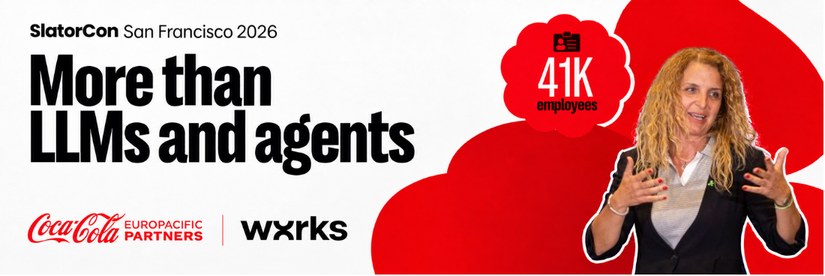
In July, we shared Elitza Dublewa-Servatius’s SlatorCon story about Coca-Cola Europacific Partners and its 41,000 employees. It connects to this month’s theme: giving people a way to work with AI inside an agreed process. Her experience is a useful starting point for teams thinking about adoption, governance, and the work around the tools.
Read the Coca-Cola Europacific Partners story →
Grateful to have you with us. Let's move forward with purpose, together.
Let's make it happen,
let's make it wxrks!
Unlock the power of glocalization with our Translation Management System.
Unlock the power of
with our Translation Management System.


.png)
.png)
.png)
.png)










