Webflow Localize gives your site its languages: localized pages, URLs and SEO, designed and previewed in the Designer. wxrks plugs into it through its app on the Webflow Marketplace and adds a team of specialized AI agents, human review wherever you need it, and one translation context for everything you translate, not just your website.
Who does what
Webflow Localize: the foundation
Every language your site speaks lives here.
- Locales you design and preview in the Designer, with per-locale styles, images, alt text and visibility
- Localized URLs in subdirectories, localized metadata and an hreflang sitemap
- A locale selector, plus automatic visitor routing on Advanced and Enterprise
- Built-in AI translation for a fast first pass, with exclusion rules that decide what it touches
wxrks: the translation layer on top
Connected through the wxrks connector for Webflow, an app on the Webflow Marketplace.
- Pages, CMS items and components go to wxrks and come back translated into your Webflow Localize locales
- A team of specialized AI agents that bring in your approved translations, glossary and style
- Human review when a project calls for it, and a glossary on every plan
- One memory shared with your app, help center, documents and other CMSs
- Delivery history, restore, scheduled updates and AI-content flags
“Translate the text on your site natively, or connect to a third-party translation tool of your choice.”
Webflow, on Webflow Localize
How a translation travels
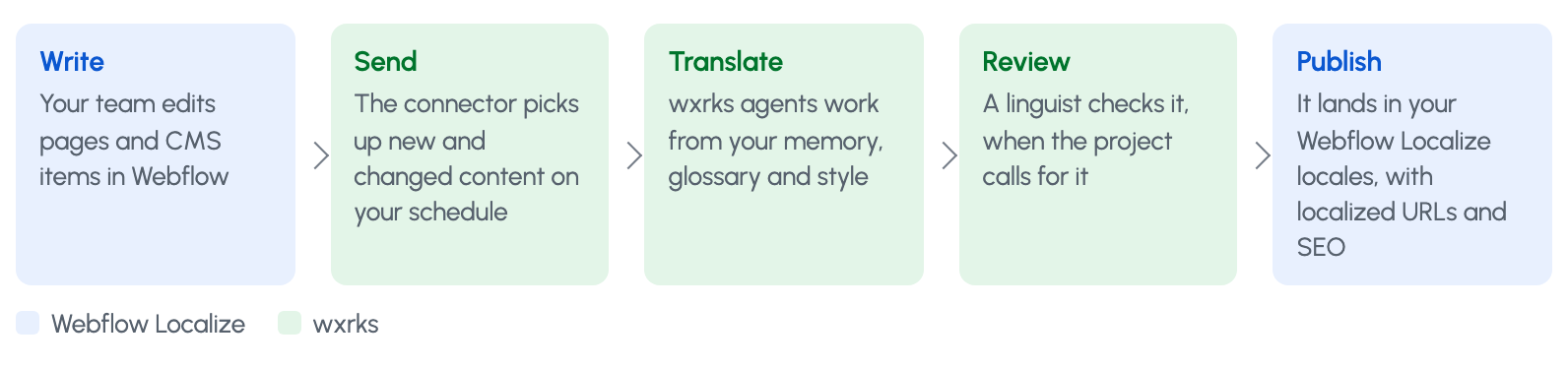
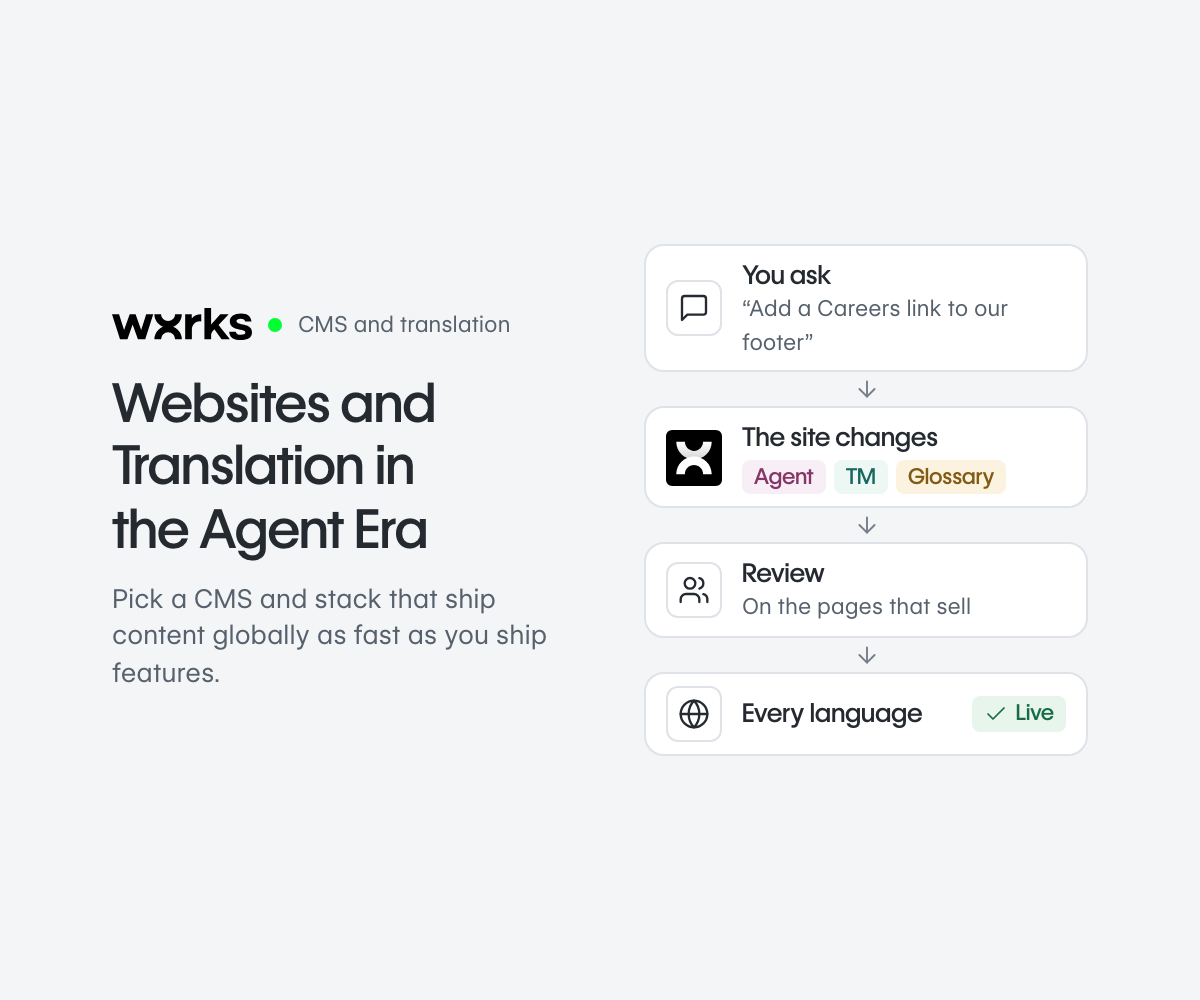
Your team writes in Webflow. The connector sends new and changed content to wxrks on your schedule, where agents translate it and a linguist reviews it when the project calls for it. The translation then lands in your Webflow Localize locales, with localized URLs and SEO.
Three ways to split the work
By content
Webflow’s AI translates everyday pages and blog posts. wxrks takes the pages that sell, legal text and product content.
Set up: in Webflow Localize, add exclusion rules for the pages and Collections that wxrks delivers.
By language
Webflow’s AI covers languages where a fast first pass is enough. wxrks, with review, covers your key markets.
Set up: automatic translation and exclusion rules are both set per target language.
Everything through wxrks
Every page needs your voice, your glossary or a reviewer. Webflow Localize still publishes every language.
Set up: leave Webflow’s automatic translation off for the languages wxrks delivers.
One rule for every split: Webflow’s continuous mode can replace translations written elsewhere, including those an app delivers. For content wxrks translates, use one-time mode or an exclusion rule.
Read next
Choosing a CMS in the agent era?
Our research on how website platforms, AI agents and translation are changing, with 24 tools side by side, and a direct comparison of Webflow Localize with and without wxrks.
Websites and Translation in the Agent Era → · Webflow Localize compared → · All connectors →
General-purpose agents, plus a team of specialists
Webflow Localize’s agents find what changed and translate it. Content you send through wxrks also gets a team of specialists, each with one job.
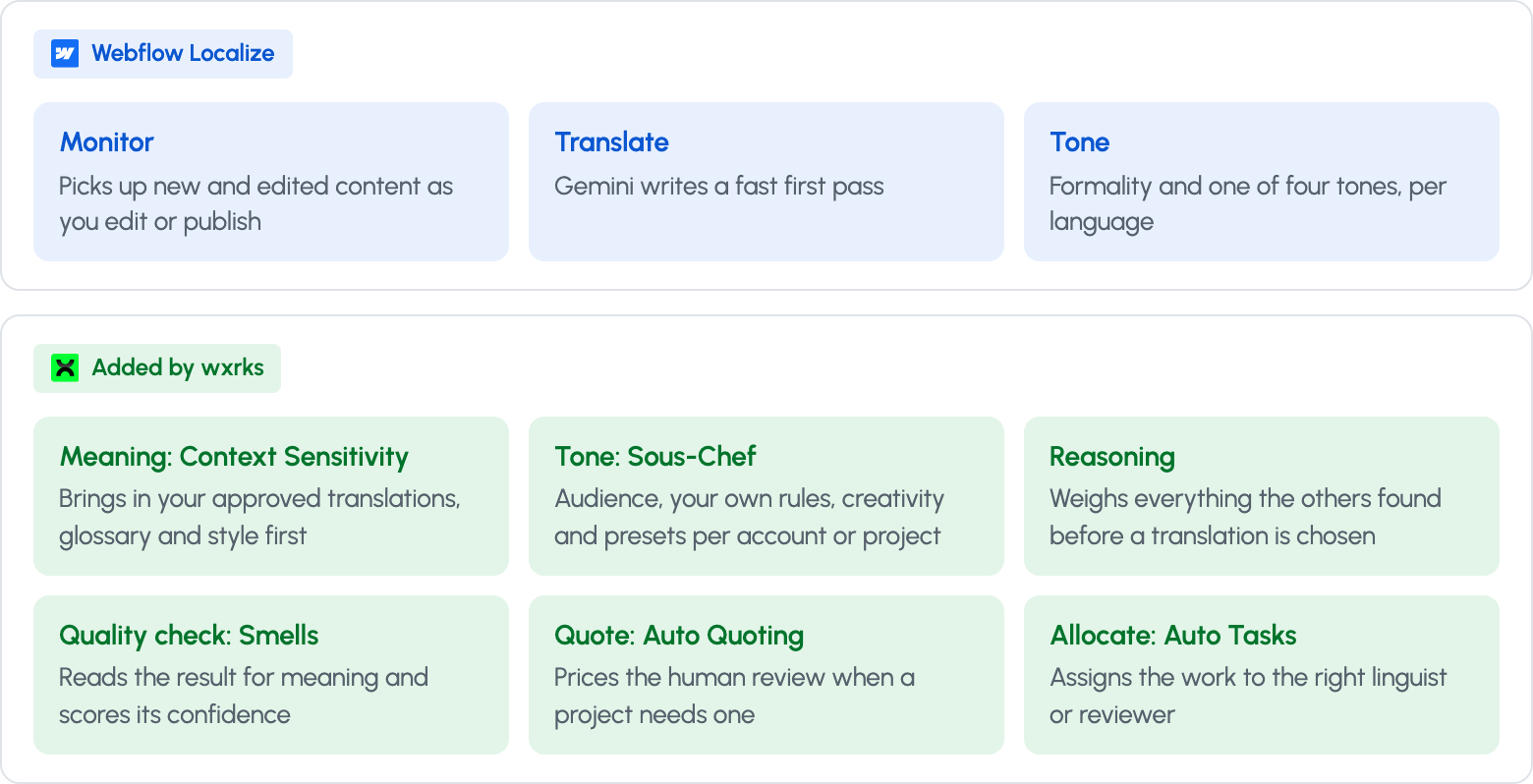
In wxrks the model doesn’t translate from scratch. It weighs what your team has already approved and suggests what you are most likely to confirm. That knowledge stays in your account, not in the model, so you can choose the model per task on Fusion and above and change it without losing anything. Tone has its own agent, Sous-Chef, and quality its own check, Smells.
What the combined setup costs
How you split the words decides the bill. Here is one site with 5 languages and 1.8 million words a year, split three ways.
| How you split the words | Webflow Localize, a year | wxrks, a year | Together, a year |
|---|---|---|---|
| Everything through Webflow’s AI | $6,600 | $0 | $6,600 |
| Half through wxrks | $2,784 | $5,640 to $7,330 | $8,424 to $10,114 |
| Everything through wxrks | $1,740 | $11,760 to $12,360 | $13,500 to $14,100 |
Yearly billing, list prices on October 1, 2026. Webflow’s figures leave out a custom glossary, which is a Webflow Enterprise feature, and assume 0.1 AI credits per word, because Webflow does not publish that rate. For the half split, buying 8 Advanced locales gives the cheapest word capacity. On wxrks, the range runs from no extra machine translation to all of it billed at the plan’s overage rate: Clockwork for the half split, Fusion for everything.
Run your own numbers with the cost calculator on our comparison page.
Common questions
Do I still need a Webflow Localize plan?
Yes. wxrks delivers into your Webflow Localize locales, and Webflow Localize publishes them with localized URLs and SEO. You need a plan that covers each language.
Will Webflow’s AI overwrite what wxrks delivers?
Not in one-time mode. Continuous mode can replace translations that come from an app, so use one-time mode or an exclusion rule for the content wxrks translates.
Which glossary applies?
Content that goes through wxrks uses your wxrks glossary, on every plan. A custom glossary for Webflow’s own AI is available on Enterprise.
What does wxrks cover beyond the site?
The same memory and glossary serve your app, help center, documents, subtitles and other CMSs such as Contentful, Drupal and Zendesk, so your brand reads the same everywhere.
Get started
Add wxrks to your Webflow site
Install the wxrks app from the Webflow Marketplace, sign in with your Webflow account and connect wxrks. Your languages stay in Webflow Localize; wxrks translates into them.
Get the app on the Webflow Marketplace → · How wxrks translates Webflow →
Sources
Webflow Localize features from the Webflow Localize page; connector details from the wxrks Marketplace listing; setup rules from Translate your site content and translation exclusion rules.
Public list prices on October 1, 2026. Webflow: pricing, AI translation usage, AI credits. wxrks: pricing.
Unlock the power of glocalization with our Translation Management System.
Unlock the power of
with our Translation Management System.