

Happy Thanksgiving to all our friends in the US. It is that time of the year when we feel the year is over, and it moved so fast.
Only in the last few weeks, Google said three quarters of its new code is now written by AI. Microsoft's security report for the year said attackers got faster too, from days to minutes. And this month Microsoft 365 was down for most of a day.
In parallel, new tools and new ways of working every week, pressing us to use all the potential out there. It is not easy to tell what is noise and what is real gain.
One thing we do know. If we sound like everyone else, what are we, as localization professionals, delivering? Average tone, average terms, average risk. What makes it yours is what you add on top, your rules, your guardrails, your voice, and the checks you run before anything ships.
That is what this update is about. Every item below is a place where you add yours.
And with that, let's take a look at what's new.
The New Home Opens With What Needs You, Ranked
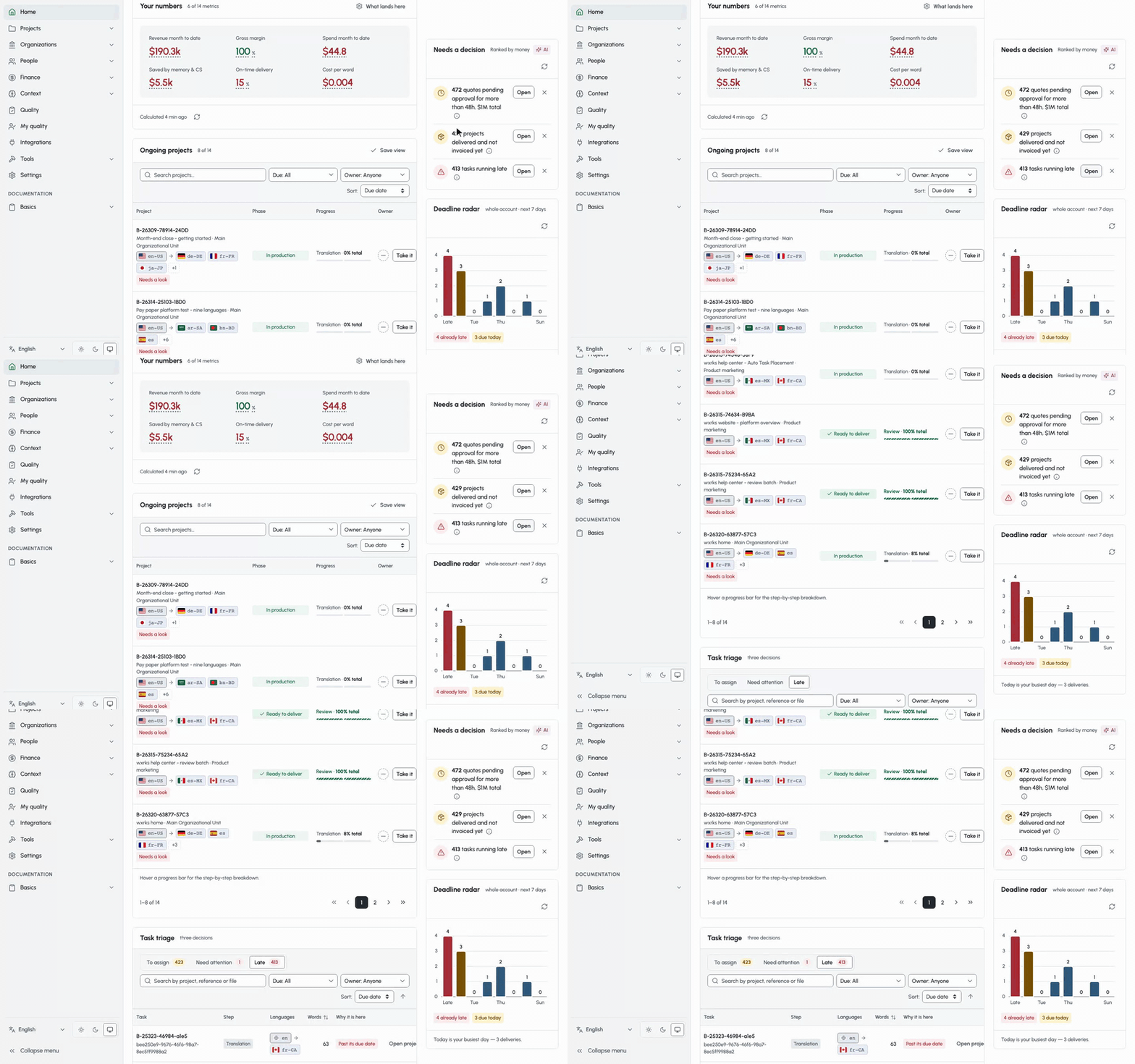
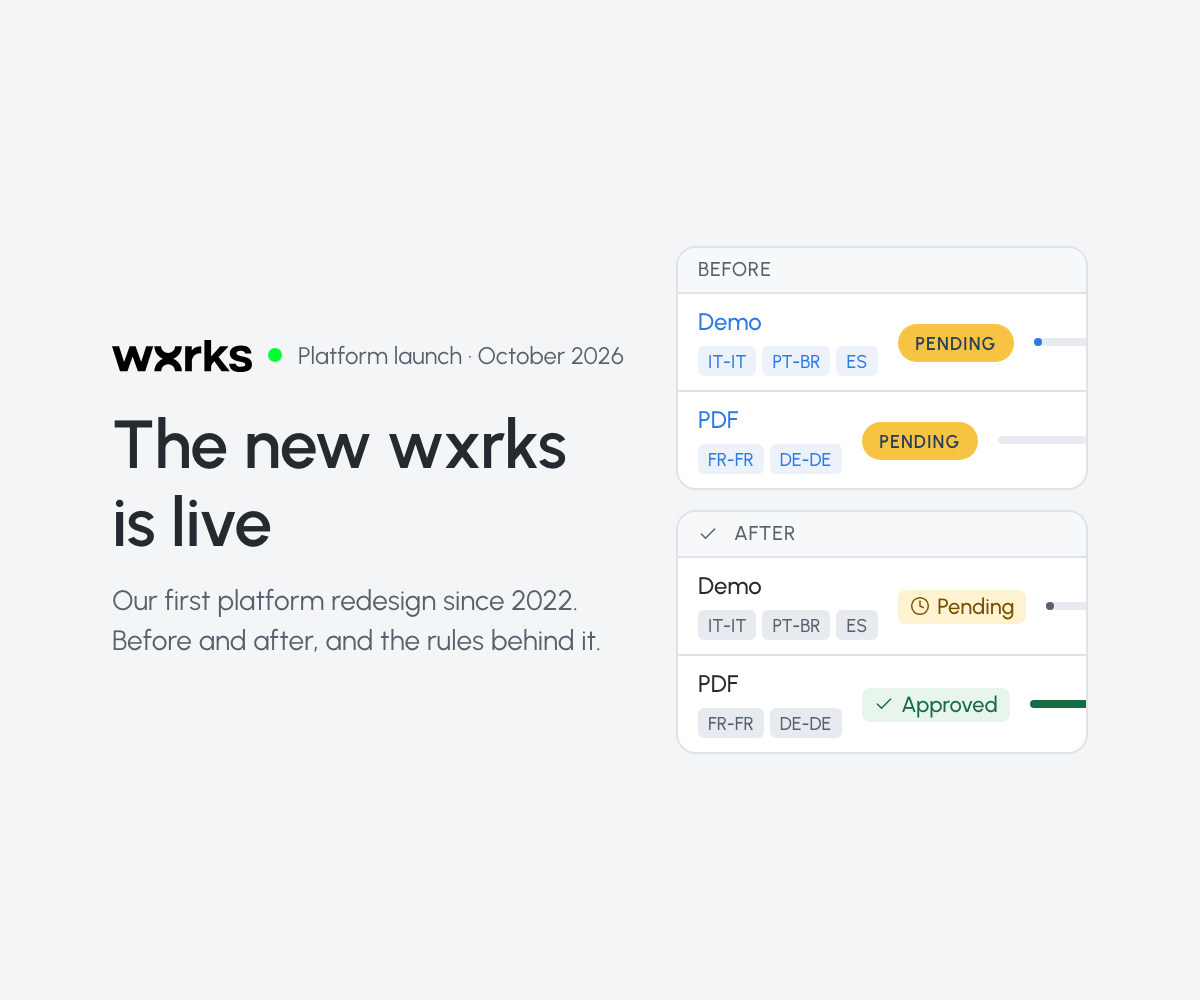
The Home is rebuilt. It opens with the decisions waiting for you, ranked, the deliveries due this week, and a Messages inbox for conversations and alerts.
Until now the first screen was a feed. You scrolled to find out what mattered.
Now it comes first. Needs a decision lists what needs you today, one line per kind of issue, ranked by the money at stake, and Open takes you to the items behind the count. A Project Manager's Home ranks by risk.
Task triage gathers the tasks to assign and preselects the lightest-loaded linguist who fits, with a few seconds to undo. On a late project, Messages drafts the note to the person who can act. You read it, then send it.
- What needs a decision, ranked by money or by risk
- Take it, Assign, and Undo from the Home
- One inbox for conversations and alerts
Customize this page keeps the sections you want, and the Home opens that way next time.
 | Want the tour? Giovanna Carla, our Head of Customer Success, walks you through the new Home in three minutes. |
How to use your Home, in the help centre. How to use Messages. How to customize your Home.
Free-Flow Now Subtitles, Translates, and Voices a Video

Upload a video to Free-Flow and get timed subtitles you edit like text, a translation under the Sous-Chef profile, and an AI voice-over that keeps the timing.
Free-Flow is where you write and translate with AI. Now it takes a video.
Upload an MP4, MOV, or WebM. Free-Flow hears the language and cuts the speech into cues, each with its timecode. Drag a cue on the timeline to move, split, or merge it, and a check flags cues that read too fast.
Add a variant in another language and Context Sensitive translate rewrites the cues, timing kept. Then an AI voice reads each sentence at the moment it was spoken, and a report lists every one that does not fit, so you fix it before you render.
Export SRT or VTT, or the video with the subtitles as a track or burned in.
- Cues you edit on the page and on the timeline
- Translation that keeps every cue's timing
- A voice-over that fits, with a report of what does not
A video project can start with a Media prep step, so the corrected transcript becomes the file's source before anyone translates it.
How to subtitle a video in Free-Flow, in the help centre. How to create a voice-over.
Your Style Guides Become a Sous-Chef Profile
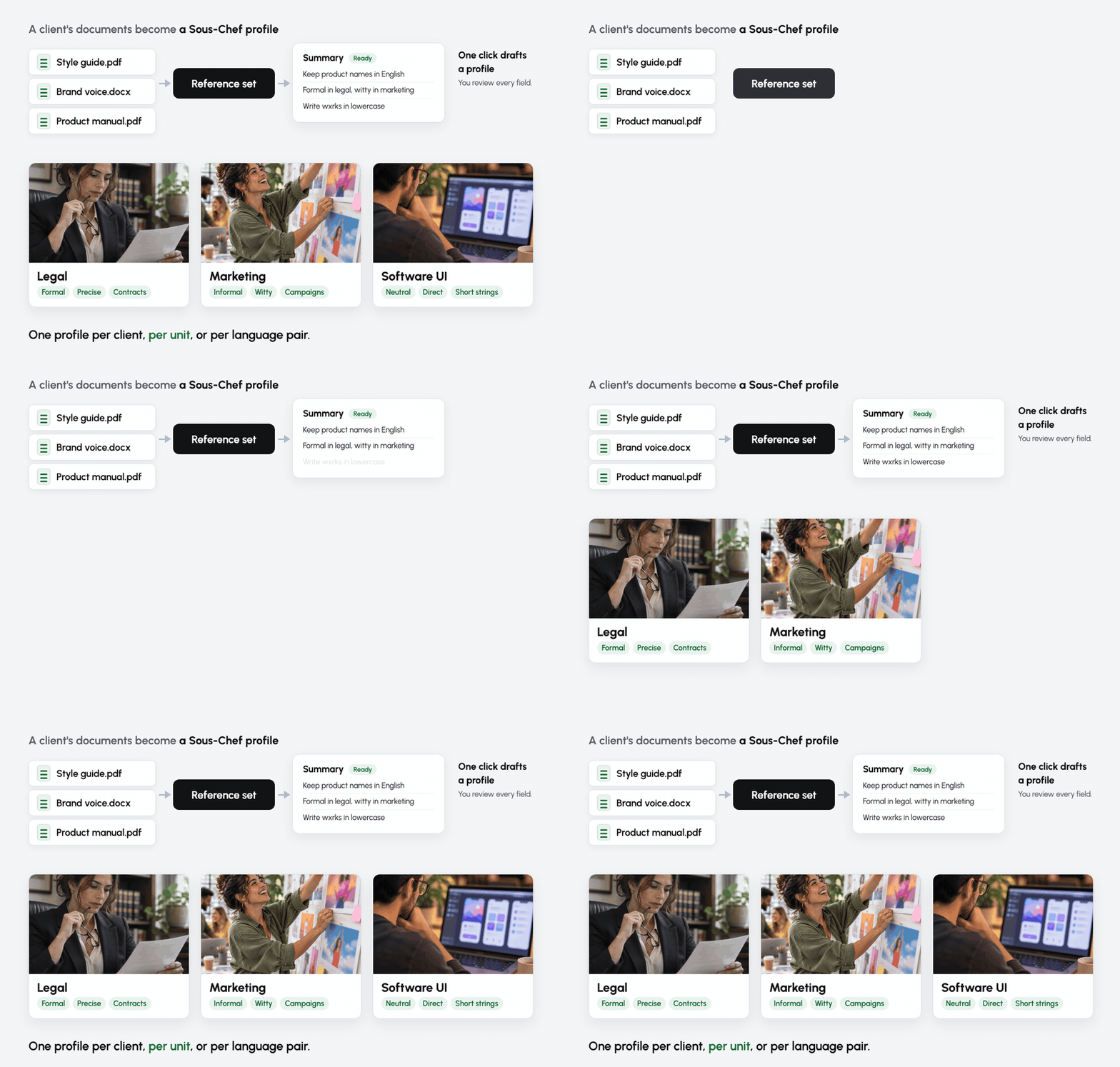
Upload a client's style guide to a reference set. wxrks reads it, writes a summary of the rules, and drafts the Sous-Chef profile, the instructions our agent follows when it translates, from it.
Every client has a style guide. Most of it never reaches the AI, because someone would have to retype it as instructions.
A reference set is up to ten documents under Context. Drop in the style guide, the brand rules, a product manual, and wxrks makes them searchable by meaning.
A couple of minutes later it writes the summary, the rules, terms, and tone the documents describe. One click drafts a Sous-Chef profile from it, domain, formality, tone, and instructions filled in. You review every field and create it.
- Up to ten documents per set, searched by meaning
- A summary you can edit or steer
- A profile drafted from it, reviewed by you
Bind a set to an Organizational Unit, and the AI follows the rules your client already wrote.
How to turn style guides into a Sous-Chef profile with reference sets, in the help centre.
Project Templates Live in wxrks, by Unit or for the Whole Account
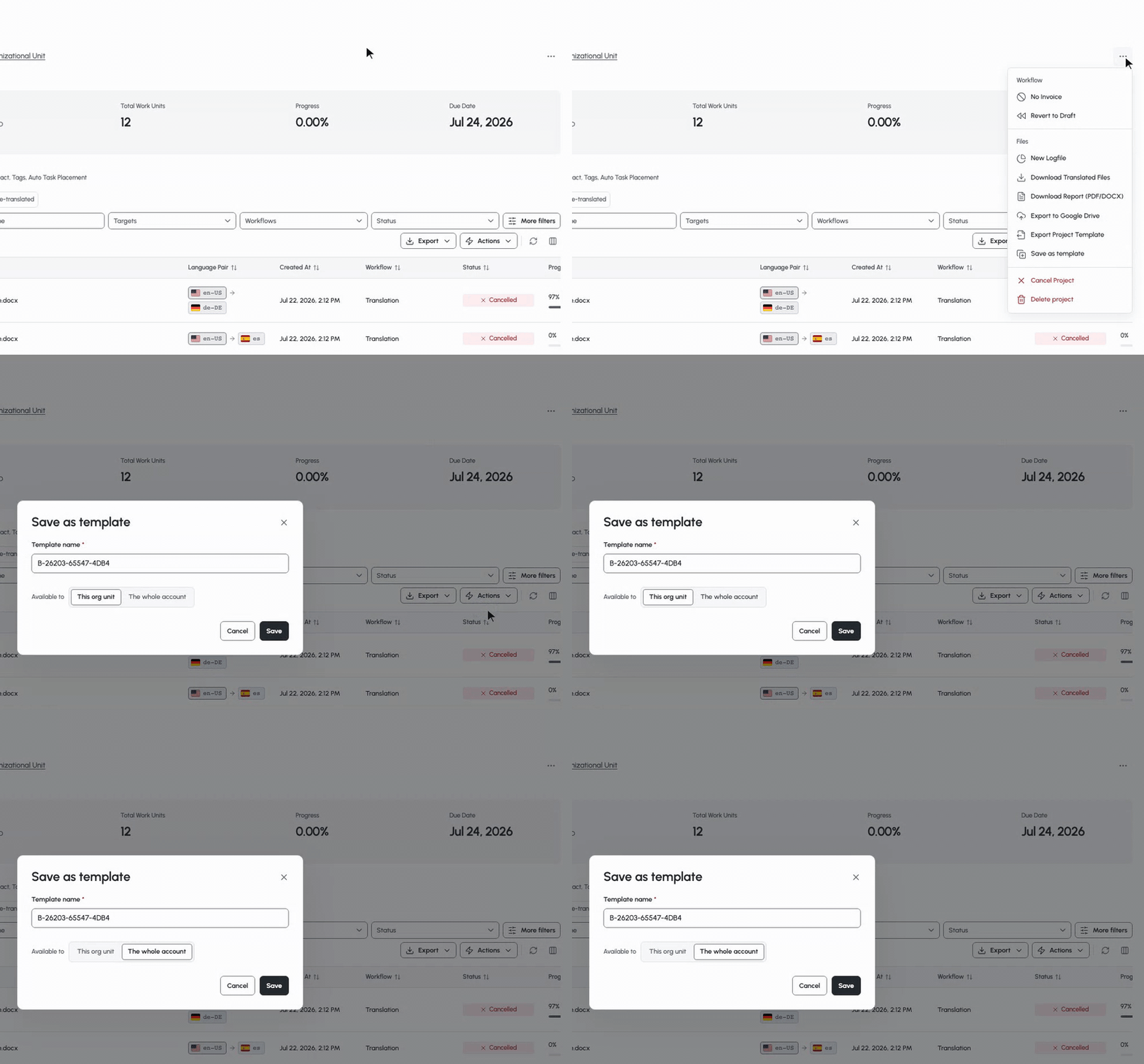
Save a project's setup as a template in wxrks, for one Organizational Unit or the whole account, and anyone creating a project picks it by name.
A project's setup is a dozen choices, the unit, the languages, the memories, the price list, the workflows. Until now you saved them as a JSON file and imported it next time.
Open a project, choose Save as template, name it, and pick who can use it. The next person who starts a project clicks Use saved template and the form fills in. Every field stays editable.
Account templates live in Settings, under Translation. A unit's own sit on its page.
The Organizational Unit template, what every new unit starts with, now carries the translation rules too.
- Saved from any project, for a unit or the account
- Picked by name when a project starts
- Translation rules in the Organizational Unit template
The setup is made once. Every project after it starts from it.
How to use project templates, in the help centre. How to set up the Organizational Unit template.
Editor Shortcuts You Set Yourself, a Symbol Picker, and Smart Quotation Marks
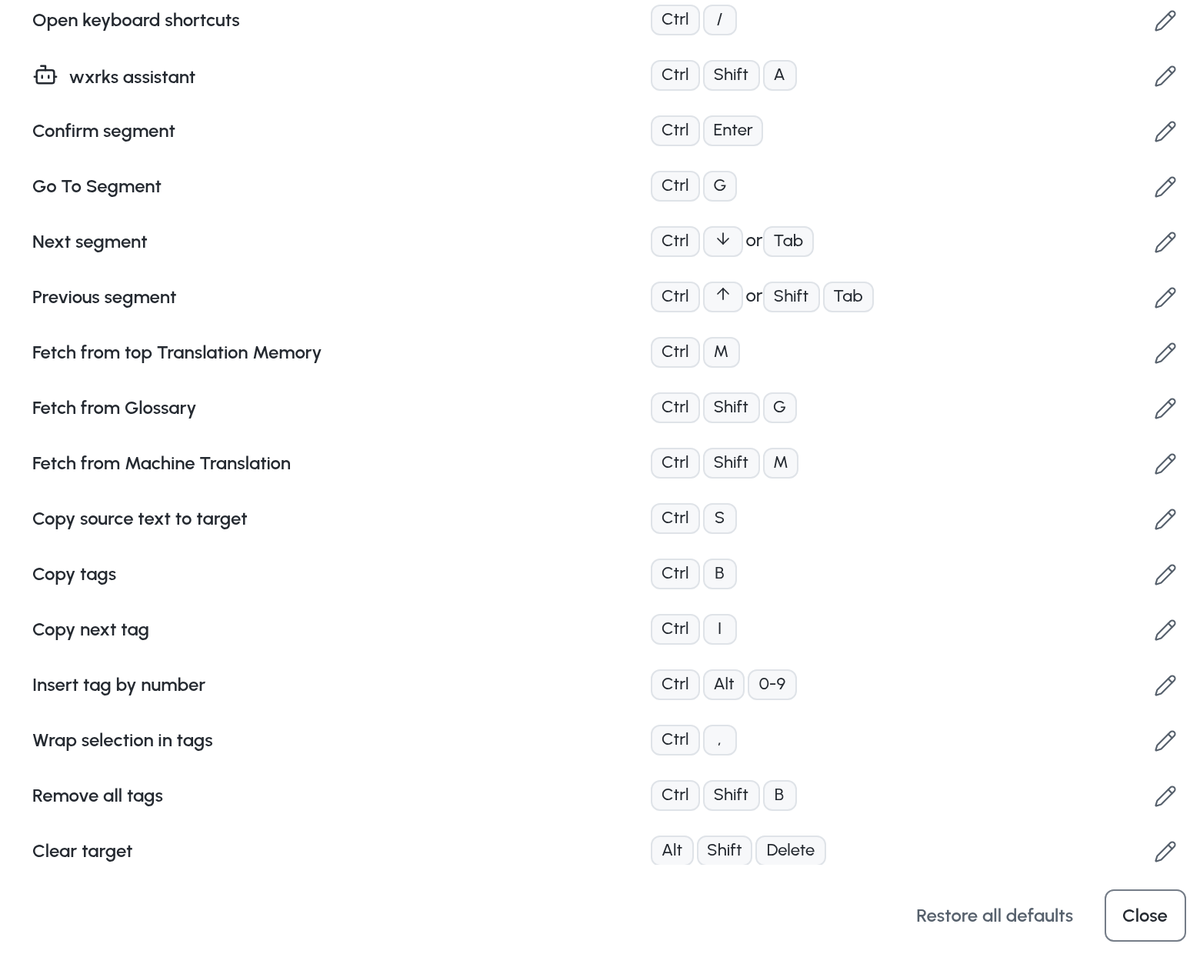
Every shortcut in the editor can be changed and is saved per user, a picker inserts symbols and invisible characters, and typed quotes become the marks of the target language.
Linguists spend their day in the editor, and their hands know a layout. Now the editor follows it.
Press Cmd+/ or Ctrl+/ for the shortcuts list. Click the pencil next to an action, press the new keys, and it works at once, saved for you alone.
Insert symbol opens a picker for characters a keyboard does not have, and Insert format character shows the invisible ones with a small badge.
Type a straight quote and the editor writes the mark of the target language, „so“ in German, «so» in French. A QA check flags the marks typing did not fix.
- Shortcuts you change, saved for your user
- Symbols and invisible characters from one picker
- Quotation marks per target language, typed and checked
QA also checks numbers now, flagging any that differ between source and target.
Every editor shortcut, in the help centre. How smart quotation marks work. How to show and insert invisible characters.
Other updates
15 more changes shipped since our last update.
Multilingual Excel Columns Found on Their Own
Auto-detect reads the header row of every sheet and maps the source and target columns. How to work with a multilingual Excel file.
Service Accounts for the API, the CLI, and MCP
An integration gets its own account and key, with an expiry of up to three years. The API reference at dev.wxrks.com.
Webhooks Over HTTPS, and Off When They Keep Failing
A webhook needs https, and one that keeps failing is turned off, with the reason.
AI Settings in the Audit Log
The account audit log records who changed an AI setting, and when.
Quality Reports Name Who Changed What
The report names the translator and the reviewer on every step, and each change carries its author.
Portal Human Review, One Submit and a Net Price
One Submit starts the review, files at their net price, and My Orders lists every request. How to send Portal files to Human Review. How to follow your requests in My Orders.
Synonyms on the Terminology Board
Create, change, and publish synonyms from the board, and move cards in bulk.
Finance, Split and in View
Payables and Receivables dashboards, a cost per word report, and payables per company or unit. How to separate payables by unit or company. How to invoice from more than one company in a currency.
Delivery Packaging as a Template
How translated files come back, folders, names, and ZIPs, is a template per account, unit, or project.
Bilingual Word Files, and Timecodes for Subtitles
Export a bilingual DOCX and import it back, and subtitle cues show their timecode.
Why Machine Translation Failed, and Try Again
When an engine returns nothing, the editor's MT card says why and offers Try MT again.
Tasks, More to See
Due dates show their time zone, tasks filter by Delivered date, and reopening a delivered task asks why.
Guided Handshake Between Accounts
Link two wxrks accounts with a guided setup, and Work Packages flow between them. Send projects between wxrks accounts with Work Packages.
Lock the Tags of a File
Turn on Lock tags at upload, and linguists can move a file's tags but not delete them. How to lock tags.
QuickBooks Connects With One Button
The QuickBooks connector signs in through the wxrks app with one Connect button. The QuickBooks connector.
What's new
Is Translation Solved? Gabriel on SlatorPod

Gabriel on whether translation is solved, why each human edit now counts for more, and what happens to per-word pricing, in his own words on the blog. Slator's full recording is in the article. Read more.
Buying Decisions, Not Words, Our New Research Paper

Gabriel's new working paper runs the economics of AI post-editing two ways for two years, and by year two the expert-led route costs about half. Read the paper.
Under the Hood of Our AI Translation Engine, in Detail

A five-minute walkthrough of Context Sensitivity, how wxrks reads your memories, glossaries, and Sous-Chef profile before it writes a suggestion, and why no model ever gets trained on your data. Watch it.
Get Invited to Our Next Lunch Talk

We just held two lunches with localization leaders in the Bay Area, on what 27 million translated segments say about AI in a 2027 localization plan. Both were all booked. Leave your details and we'll invite you to the next one, in the Bay Area or in your city. Get invited.
12 Years of Implementation, With Hugo Vieira
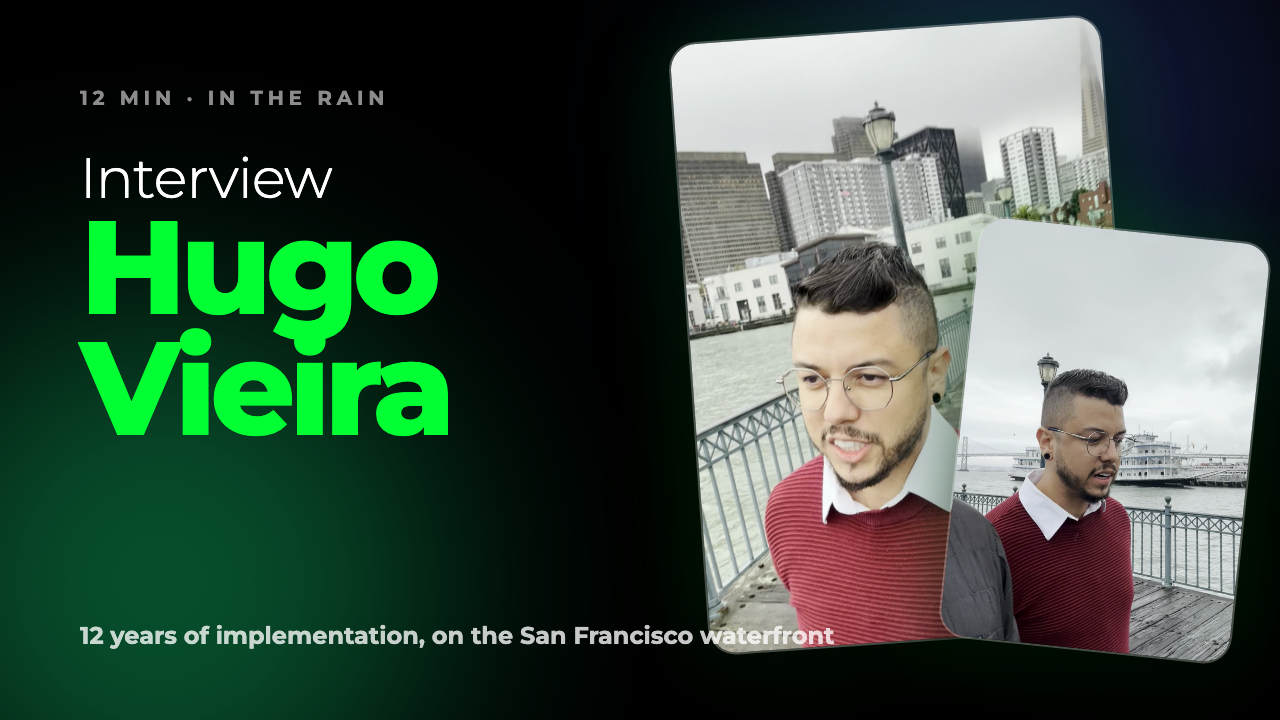
Hugo joined us as an intern 12 years ago and runs implementation today, so we walked the San Francisco waterfront with him, in the rain, and asked what clients struggle with and which features too few teams use. Watch the interview.
Grateful to have you with us. Let's move forward with purpose, together.
Let's make it happen,
let's make it wxrks!
Unlock the power of glocalization with our Translation Management System.
Unlock the power of
with our Translation Management System.