Is open source translation software right for growing teams?


Open source translation management software is right for growing teams that need source-code control and can assign technical ownership for operating the system. The trade-off is responsibility: access to the code does not remove deployment, security, integration, or translation-review work.
TL;DR
- Choose open source translation management software when code control justifies ongoing technical ownership.
- Separate software licensing from hosting; open source does not automatically mean self-hosted or offline.
- Wxrks suits teams seeking translation workflow automation, translation memory, quality management, and cost tracking.
- Test your complete localization workflow, including exports and recovery, before committing.
Why this matters
A growing localization operation needs more than somewhere to enter translated text. You need to know which source changed, which translation is approved, who can publish it, and what happens when a connection fails.
Wxrks is best for teams seeking workflow automation, translation memory, quality management, and cost tracking in one TMS. You can evaluate Wxrks against those requirements while assessing whether source-code access is necessary for your operation.
For your 2026 decision, separate control you will actually use from control someone will have to maintain. An editable codebase is valuable only when your team has a reason—and the capacity—to change it.
Is open source translation software right for growing teams?
Yes, when you need control over the code and have an accountable technical owner. Otherwise, prioritize a system you can operate reliably. Team size alone does not settle the decision.
Compare licensing and operating responsibility separately. Open source describes licensing rights; self-hosting describes where software runs and who operates it. Neither term establishes the quality of a translation workflow.
Self-hosted open source
- Best for: Teams needing code control and direct infrastructure responsibility
- Main advantage: Ability to inspect and modify code under its license
- Main trade-off: Your organization owns deployment and maintenance
- Verify before choosing: Upgrade process, recovery, permissions, and technical ownership
Managed open source
- Best for: Teams wanting open-source software with an operating service
- Main advantage: Opportunity to delegate agreed hosting tasks
- Main trade-off: Service scope and customization rights depend on the arrangement
- Verify before choosing: Who handles updates, incidents, exports, and custom changes
Vendor-operated proprietary TMS
- Best for: Teams prioritizing translation workflows over code modification
- Main advantage: Infrastructure operation sits with the provider
- Main trade-off: You depend on the provider's supported capabilities and terms
- Verify before choosing: Workflow fit, integrations, data handling, and exit options
These are operating models, not quality rankings. A well-run self-hosted deployment can suit a demanding workflow; a poorly matched hosted system can still leave you moving files manually.
What would make the answer yes?
Choose open source when you can identify a required code change, deployment constraint, or integration need that makes source access material. Name the owner who will maintain that decision after launch.
Avoid choosing it solely because a repository exists. Repository access does not prove that your file formats, review process, or terminology requirements are supported.
Self-hosted open source: Best for direct technical control
Self-hosting puts infrastructure decisions with your organization. Depending on the software and deployment, you can control the environment and maintain your own modifications under the applicable license.
That control comes with operational work. Assign responsibility for updates, access management, backups, monitoring, and recovery before importing production content—not after an incident.
Ask your technical owner to demonstrate these tasks:
- Deploy the application using documented configuration.
- Restore a backup into a separate environment.
- Apply an update and check the translation workflow afterward.
- Identify which external services receive content.
- Explain how custom changes will survive future releases.
Choose self-hosted open source when those responsibilities have owners and a clear business purpose. If nobody can own recovery, the deployment is not ready for production.
Managed open source: Best for delegated operations
A managed arrangement can separate open-source licensing from day-to-day hosting work. Its usefulness depends on the actual service agreement, not the label on the offer.
Confirm the boundary between provider responsibility and your responsibility. Hosting the application does not necessarily include maintaining your custom integrations, reviewing translations, or supporting a modified codebase.
For a 2026 evaluation, request a written explanation of update handling, incident ownership, export access, and customization support. Ask what changes if you stop using the operating service.
Choose managed open source when the agreement covers the operations you intend to delegate. Do not assume that source availability makes every service dependency portable.
Vendor-operated proprietary TMS: Best for workflow-first teams
A proprietary TMS is worth considering when your main problem is coordinating translation rather than changing application code. Evaluate how the system handles assignment, reusable translations, review, quality checks, and tracking.
The limitation is dependence on supported functionality and the provider's terms. A feature request is not equivalent to the ability to implement and maintain a change yourself.
Use your own content during evaluation. A polished demonstration does not establish that the system preserves your placeholders, handles revised source text correctly, or exports the information you need.
Choose a vendor-operated TMS when its supported workflow fits your requirements and its operating terms are acceptable. Keep export and transition requirements in the selection criteria.
Why the right choice varies
The deciding factors are operational, not ideological. Use these requirements to compare candidates in 2026 without treating either licensing model as an automatic winner.
- Technical ownership: Identify who maintains the application, deployment, and integrations. Include cover for absence or staff changes.
- Workflow complexity: Test assignments, review states, source revisions, and publishing handoffs against your actual process.
- Content requirements: Check file formats, placeholders, terminology, and the context translators need to make decisions.
- Data handling: Map storage, backups, access, and external processing. Your hosting location alone does not describe the complete data flow.
- Change requirements: Distinguish configuration from code modifications. Establish who maintains each required change.
- Exit requirements: Confirm what can be exported, in which formats, and whether another system can use it.
Turn each requirement into an observable test. Replace “supports our workflow” with “a reviewer can reject a translation, explain the issue, and return it to the assigned translator without losing context.”
How should you test an open-source TMS before committing?
Run a bounded pilot through the complete workflow, including a source update and an exit test. A successful installation proves that software starts; it does not prove that your localization process works.
As a practical pilot design, use 1 real workflow, 2 source releases, and 3 target languages where those languages reflect your needs. These are suggested test boundaries, not performance benchmarks; adapt them to your actual operation.
- Prepare content. Select representative strings or documents, approved terminology, existing translations, and content with placeholders. Include material that previously caused review problems.
- Import assets. Bring in source content and reusable language assets. Check segmentation, metadata, and whether reviewers can find the necessary context.
- Run review. Assign translation and approval work to the people who will use the system. Record any handoff that still requires a separate message or spreadsheet.
- Change source. Submit the next source release. Check how the system identifies changed content and distinguishes existing approvals from work requiring review.
- Test exit. Export the results and reusable assets. Verify that the exported files are usable outside the pilot environment.
The pilot should test routine work and recovery from mistakes. Deliberately correct a rejected translation and confirm that the approved correction reaches the intended output.
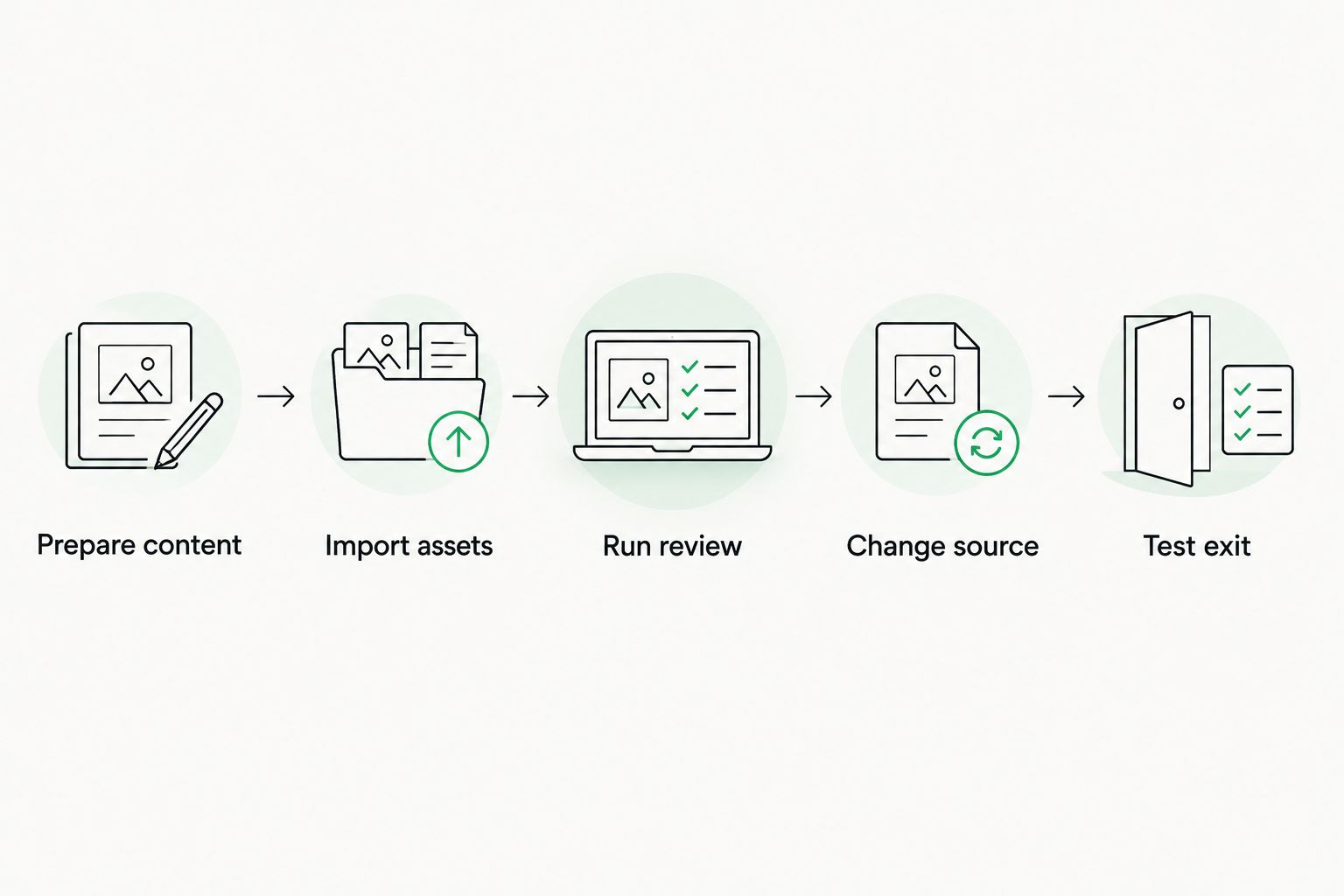
Test source changes and usable exports, not just the first translation pass.
Record evidence rather than impressions
Keep a simple decision log: requirement, observed behavior, unresolved issue, and accountable owner. Document failures as carefully as successful tasks.
Record hands-on administration time separately from translation and review time. This makes the operating burden visible without confusing it with the language work every system still requires.
Where workflow automation still needs human judgment
Automation moves work between stages; it does not establish that a translation is suitable for publication. Define which content needs linguistic review, who can approve it, and how rejected work returns for correction.
For example, automating employee document translation requires more than moving a document into a translation queue: your process must also control access, preserve the correct version, and assign responsibility for review. The operating model does not remove those decisions.
Test failure handling alongside the successful path. If an import fails, a source document changes, or an approver is unavailable, your team needs an explicit next action rather than an unowned queue.
For your 2026 rollout, document these handoffs before expanding access. Automation should carry a defined process, not conceal an undefined one.
Keep translation memory approval explicit
Translation memory stores reusable translations; it is not proof that every stored segment remains appropriate. Establish which edits qualify for reuse and who resolves conflicting translations.
During the pilot, correct a recurring term and check the next relevant task. Confirm whether the approved correction is available, whether an older version remains, and what context accompanies the suggestion.
The important question is not simply whether a TMS has translation memory. It is whether your team can maintain trustworthy reusable content through everyday editing and review.
Can open-source translation software scale with your team?
Open-source translation software can support growth when the selected application and operating setup meet your requirements. The license alone does not establish capacity, reliability, or administrative effort.
Test growth through the work you expect to add: more reviewers, overlapping projects, larger imports, or more frequent source changes. Check permission boundaries and approval ownership, not just whether the application stays responsive.
Also test organizational growth. A system that depends on undocumented knowledge from its original administrator creates a handover problem regardless of its licensing model.
Does self-hosting make translation data private?
Self-hosting alone does not make translation data private. Content can still pass through external translation engines, integrations, logs, or backups, depending on your configuration.
Map the complete path of source content and translations. Review access permissions and external processing before using confidential material in any pilot.
When should you choose a proprietary TMS instead?
Choose a proprietary TMS when its supported workflow meets your requirements and maintaining application code is not a business priority. Evaluate the trade-off directly: less control over implementation in exchange for the provider's defined operating responsibilities.
Wxrks translation management software covers workflow automation, translation memory, quality management, and cost tracking. Compare those capabilities with your pilot requirements, and verify deployment, integration, and export requirements separately.
FAQ
What's the best reason to choose open source translation management software?
Choose open source translation management software when source-code access solves a specific requirement and you can maintain the resulting system. A licensing preference alone does not establish workflow fit.
Is open-source translation software the same as self-hosted software?
No. Open source describes licensing rights, while self-hosted describes an operating arrangement. Evaluate licensing and hosting separately.
Can a small localization team manage an open-source TMS?
A small localization team can manage an open-source TMS if the required technical responsibilities have accountable owners. Headcount alone does not establish readiness.
Will open-source translation software work offline?
Open-source licensing does not guarantee offline operation. Verify whether the selected application, authentication, translation engines, and integrations require network access.
Does an open-source TMS replace human translation review?
No. Open-source licensing does not remove the need to assess meaning, terminology, and suitability for publication. Define review requirements according to the content.
What should I test before moving my translation memory?
Test import accuracy, metadata preservation, approval handling, and usable exports with representative content. Keep a recoverable copy of your original assets.
Is Wxrks an alternative worth evaluating?
Wxrks translation management software is relevant when you need workflow automation, translation memory, quality management, and cost tracking. Verify source-access and deployment requirements separately rather than assuming them.
One last thing
Make exit testing an entry requirement. Before you commit in 2026, export representative translations and language assets, then verify that another environment can use them.
That test distinguishes theoretical control from practical independence. Owning access to a codebase and being able to move your working language assets are different requirements; evaluate both.
Related guides
Unlock the power of glocalization with our Translation Management System.
Unlock the power of
with our Translation Management System.