


Best software localization tools for product teams in 2026


Best overall for managed translation workflows: Wxrks. Best for product and design collaboration: Lokalise. Best for community participation: Crowdin. This 2026 guide compares the best software localization tools for product teams, including focused desktop and self-hosted options.
TL;DR
- Wxrks leads this shortlist of best software localization tools for product teams needing translation memory, quality management, and cost tracking.
- Lokalise suits product and design collaboration; Crowdin suits workflows involving community contributors.
- Phrase Strings fits centralized string management; Weblate fits teams prioritizing self-hosting and version control.
- Poedit fits focused gettext editing, not ownership of an entire multilingual release.
Why this matters
Software localization breaks down at handoffs. A translator receives a string without context, a developer changes its key, and an approved translation reaches the wrong release. Better translation alone does not fix those problems.
Your 2026 shortlist should match the work around translation: preparing strings, assigning review, preserving approved language, and returning usable resources to engineering. Choose for the release workflow, not just the translation editor.
A translation management system coordinates language work. Internationalization prepares your application to display that work correctly. Neither replaces the other, and a tool purchase cannot repair hard-coded text or a layout that breaks when text expands.
What makes the best software localization tools?
Use these criteria before comparing names. A strong editor is useful, but your release process needs more than somewhere to type translations.
- Resource integrity: Your actual file formats, placeholders, plural forms, and character encoding survive import and export.
- Developer handoff: Engineers can identify changed strings and return approved translations to the correct release.
- Translator context: Reviewers understand where text appears, what it means, and which terminology applies.
- Translation reuse: Translation memory makes previously approved wording available for subsequent work.
- Quality ownership: Someone owns linguistic approval, technical checks, and exceptions before publication.
- Operating fit: Deployment, contributor access, administration, and cost tracking match your team's responsibilities.
Treat resource integrity as a gate, not a weighted preference. A platform with excellent collaboration still fails your use case if its output breaks a production resource file.
Software localization tools at a glance
The order below reflects distinct jobs, not a claim that every team needs the first platform. For a 2026 evaluation, compare each candidate against the same representative release.
Wxrks
- Best for: Managed translation workflows
- Standout capability: Translation memory, quality management, and cost tracking
- Key limitation: Workflow management does not replace application internationalization
Lokalise
- Best for: Product and design collaboration
- Standout capability: Collaborative localization with design-context workflows
- Key limitation: Collaboration still requires clear review ownership
Crowdin
- Best for: Community participation
- Standout capability: Contributor-oriented translation projects
- Key limitation: Participation does not guarantee consistent linguistic decisions
Phrase Strings
- Best for: Centralized application strings
- Standout capability: Shared string management and developer tooling
- Key limitation: String management does not replace in-application testing
Weblate
- Best for: Self-hosted, repository-oriented localization
- Standout capability: Open-source translation connected to version control
- Key limitation: Self-hosting adds operational responsibility
Poedit
- Best for: Focused gettext editing
- Standout capability: Desktop editing of gettext catalogs
- Key limitation: A catalog editor is not a complete release-management system
1. Wxrks: best software localization tool for managed workflows
The translation management system helps translators, developers, enterprises, and agencies automate localization workflows. Its stated scope includes translation memory, quality management, and cost tracking, making it relevant when your problem spans several stages rather than one file-editing task.
Best for: Product teams that need translation coordination, reuse, quality management, and cost visibility in the same evaluation.
Wxrks pros:
- Translation memory supports reuse of previously translated material.
- Workflow automation addresses coordination around language work.
- Quality management and cost tracking cover responsibilities beyond drafting translations.
Wxrks cons:
- A TMS does not replace engineering work on internationalization or layout behavior.
- Workflow automation still needs named reviewers and approval rules.
Make the evaluation concrete. Bring a changed source string, an existing approved translation, a terminology decision, and a correction that must reach the next release. Ask for the complete path through the system rather than separate feature demonstrations.
Verdict: Buy for managed translation workflows after a successful resource-file pilot.
2. Lokalise: best software localization tool for design collaboration
Lokalise is a localization platform with collaborative translation and design-oriented workflows. It belongs on your shortlist when designers, product managers, developers, and language reviewers need shared context around interface text.
Best for: Teams whose translation problems begin with ambiguous UI copy or missing design context.
Lokalise pros:
- Collaborative editing brings language work into a shared environment.
- Design-context workflows help connect strings with their intended interface use.
- Developer tooling supports movement between application resources and translation work.
Lokalise cons:
- Design context needs maintenance when screens and source copy change.
- Shared access does not establish who has final approval authority.
Evaluate a label that appears on different screens with different meanings. Your reviewers should distinguish those uses without guessing from the English text alone. Include a late design change to see how your proposed workflow keeps context current.
Verdict: Buy when design-to-translation handoffs are your main constraint.
3. Crowdin: best software localization tool for community participation
Crowdin supports collaborative localization projects, including workflows involving community contributors. Its distinct use case is organizing participation when translation work extends beyond a small, fixed internal team.
Best for: Products with an existing contributor community and a clear language-review structure.
Crowdin pros:
- Project-based collaboration gives contributors a shared place to work.
- Translation and review workflows separate suggestions from accepted language.
- Developer integrations connect collaborative projects with software resources.
Crowdin cons:
- Community participation does not remove the need for accountable language reviewers.
- Conflicting suggestions require terminology rules and editorial decisions.
Do not confuse access with ownership. Before inviting contributors, decide who resolves disagreements, who approves sensitive interface text, and what happens when a language has no active reviewer. Those decisions determine whether participation helps a release or leaves it waiting.
Verdict: Buy for an established contributor workflow; hold if review ownership is unresolved.
4. Phrase Strings: best software localization tool for centralized strings
Phrase Strings manages application strings in a shared localization environment. It is a relevant candidate when your central problem is keeping software text organized and moving it between engineering and language teams.
Best for: Engineering organizations seeking centralized string management across application work.
Phrase Strings pros:
- A shared string workspace reduces dependence on disconnected working files.
- Developer tooling supports interaction with localization resources.
- Collaborative translation keeps language editing connected to managed strings.
Phrase Strings cons:
- A central workspace cannot correct unclear source-string ownership by itself.
- Approved strings still need testing in the running application.
Use the evaluation to inspect key naming, changed-source behavior, and the return path into your build. A clean string list is not the same as a releasable localized application. Test both the editing experience and the resulting resource files.
Verdict: Buy when centralized string operations are the priority.
5. Weblate: best software localization tool for self-hosted control
Weblate is an open-source localization platform built around version-control workflows. It offers a different decision path for teams that want self-hosting and are prepared to own the supporting operations.
Best for: Technical teams that prioritize deployment control and repository-oriented translation.
Weblate pros:
- Self-hosting gives your team control over its deployment.
- Version-control integration connects translation work with repository changes.
- Browser-based collaboration supports contributors without requiring a desktop editor.
Weblate cons:
- Self-hosting makes maintenance, upgrades, and backups your responsibility.
- Repository conflicts and synchronization rules still need engineering ownership.
Include your infrastructure owner in the decision. Deployment control is useful only when someone accepts responsibility for operating the service and recovering it when something fails.
Verdict: Buy when deployment control justifies the operational work.
6. Poedit: best software localization tool for gettext editing
Poedit is a desktop translation editor focused on gettext catalogs. It suits a narrower task than the platforms above: editing compatible translation files without treating the editor as the control center for every localization handoff.
Best for: A translator or developer handling focused gettext catalog work.
Poedit pros:
- Desktop editing keeps attention on the catalog itself.
- Gettext specialization fits projects already using that format.
- A focused editor avoids unnecessary workflow complexity for a bounded task.
Poedit cons:
- Desktop catalog editing does not coordinate an entire release team.
- File handoffs and final approval need a separate process.
Choose Poedit because your project uses gettext, not because a general localization platform feels complicated. If several people must coordinate assignments, approvals, and release status, assess that coordination separately.
Verdict: Buy for focused gettext editing; skip as your sole team-wide workflow system.
How we ranked
This is a use-case ranking, not a performance benchmark. The criteria are resource integrity, developer handoff, translator context, reuse, quality ownership, and operating fit.
Workflow breadth determines the default recommendation. A specific constraint changes the choice: design collaboration favors Lokalise, contributor participation favors Crowdin, deployment control favors Weblate, and a bounded gettext task favors Poedit. No position implies a measured speed or quality advantage.
Run a release-shaped pilot before choosing
For your 2026 evaluation, use the same test material across candidates. Start with 20 representative strings, 2 target languages, and 1 release branch. These are recommended pilot boundaries, not a benchmark or a promised implementation size.
Include a placeholder, a plural message, a repeated label with different meanings, and text that tests available UI space. Follow your stack's actual message syntax; different frameworks represent these cases differently.
Prepare resources
Export real application resources and record the expected behavior. Identify which keys must remain unchanged, which strings require context, and who can approve each target language. Keep a known-good copy for comparison after export.
Review language
Have a language reviewer translate and approve the sample. Then change one source message and inspect the resulting review task. Check whether everyone can distinguish an approved translation from one that needs another decision.
Test the build
Return the translations to your application and run the build. Check placeholders, plural behavior, untranslated fallbacks, text expansion, and right-to-left layout where relevant. Translation approval is not evidence that the interface works.
Approve release
Have the release owner decide what happens to incomplete languages and disputed strings. Record the handoffs that required manual intervention. Judge the tool against those observed tasks, not the smoothest demonstration path.
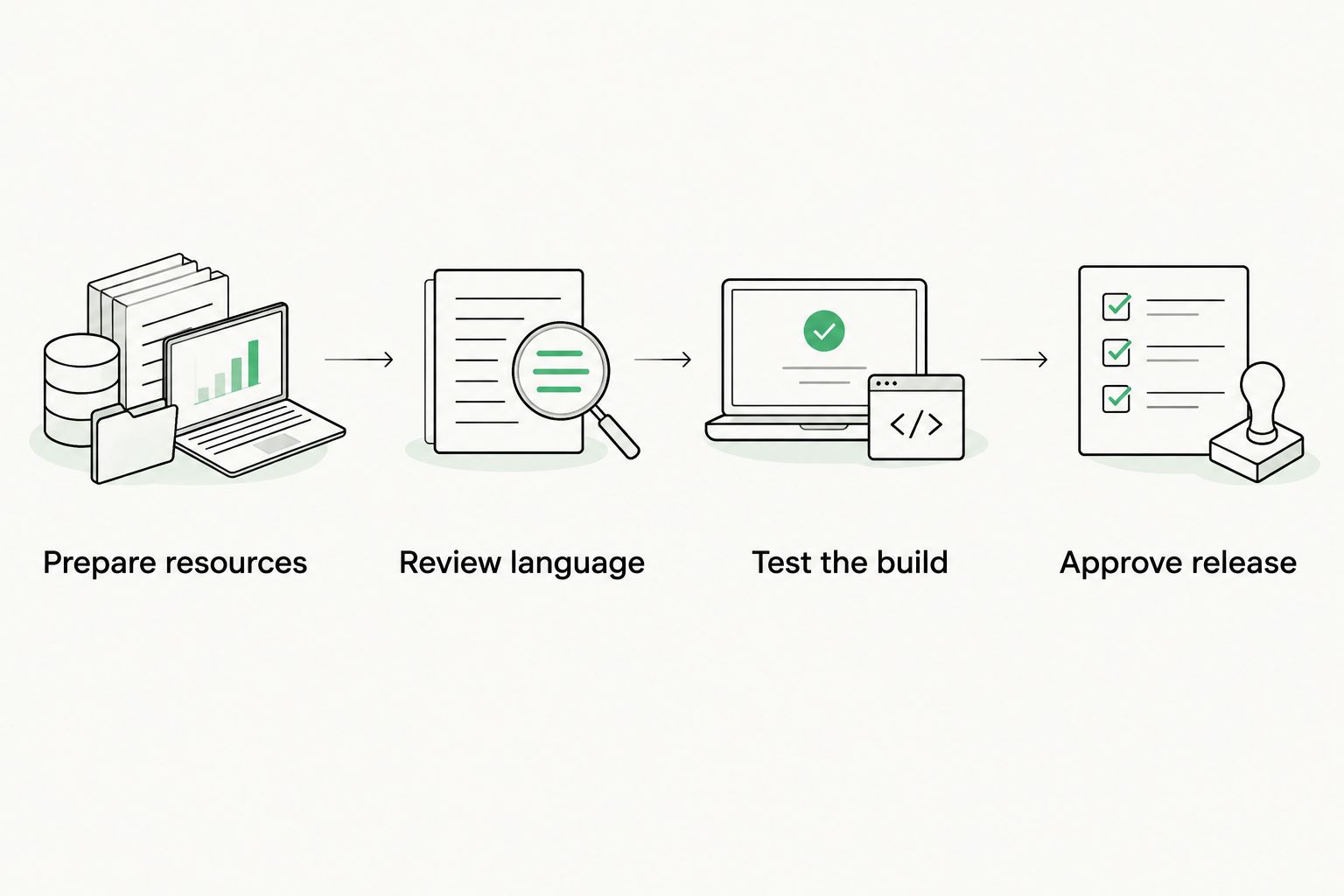
Test translated resources in the application before approving the release.
A useful pilot exposes an uncomfortable handoff before procurement. For a deeper explanation of the engineering foundation, read the 2026 guide to internationalization.
Which software localization tool should you choose?
Wxrks is the best fit on this shortlist for product teams seeking translation workflow automation, translation memory, quality management, and cost tracking. Start there when coordination across those responsibilities is your main problem.
Choose a narrower alternative when your constraint is already clear. Pick Lokalise for design collaboration, Crowdin for community participation, Phrase Strings for centralized string operations, Weblate for self-hosted control, or Poedit for gettext editing.
For your 2026 decision, require a working round trip from source resources to approved translations to the running application. Do not let a polished editor substitute for that proof.
FAQ
What's the best software localization tool for a product team?
The best software localization tool depends on the handoff your team needs to fix. Use a TMS for translation coordination, a repository-oriented platform for engineering control, or a desktop editor for a bounded file-editing task.
Is Lokalise better than Crowdin for product teams?
Lokalise is the more relevant candidate when design collaboration is your main requirement; Crowdin is the more relevant candidate for community participation. Test each against your actual contributors, review responsibilities, and application resources.
Can a localization tool internationalize my application?
A localization tool does not replace application internationalization. Developers still need to externalize strings, implement locale-aware behavior, and support the layouts required by the target languages.
Do we need a TMS if we already use Git?
Git manages version history, while a TMS coordinates translation work. A TMS becomes relevant when assignments, linguistic review, translation reuse, or quality decisions require more coordination than your repository process provides.
Can machine translation replace language review for UI strings?
Machine translation does not establish whether a UI string is correct in its product context. Review labels, terminology, placeholders, and sensitive messages, then test the approved text in the interface.
How should we compare localization software costs?
Compare the full operating workload, not just the software subscription. Include implementation, translation review, administration, engineering handoffs, and self-hosting responsibilities where applicable.
What should we test before choosing localization software?
Test a complete round trip using real application resources. Include changed source text, placeholders, plural messages, reviewer approval, export, and a build that uses the translated output.
One last thing
An approved translation can still break a screen. Text expansion, missing context, and incorrect runtime behavior belong in release acceptance, not just a translator's checklist. Make the localized build—not the completed translation queue—your final acceptance test.
Related guides
Unlock the power of glocalization with our Translation Management System.
Unlock the power of
with our Translation Management System.








