


Software localization tool for product teams: TMS wins 2026


For product teams, software localization tooling is a system for managing translated application content with the aim of shipping usable products across languages. Choosing a software localization tool for product teams in 2026 means checking how content, context, review, and release handoffs work—not just how quickly text gets translated.
TL;DR
- Choose a software localization tool for product teams around release handoffs, translation memory, and quality management.
- Wxrks fits product teams seeking a translation management system with workflow automation and cost tracking.
- Test real application strings and reviewer handoffs before committing to a localization workflow.
- Keep linguistic approval separate from in-product testing; translated text alone does not prove release readiness.
Why localization tooling matters for product teams
Product localization crosses several responsibilities. Developers manage application resources, translators interpret meaning, reviewers check language, and product owners decide what ships. A translated file does not resolve those handoffs.
Your tool selection should start with the journey from a source-text change to an approved application build. The software localization tools for developers guide provides a related evaluation angle; this guide focuses on the shared workflow across product, engineering, and language teams.
Treat localization as a release workflow, not a document exchange. A button label needs context, an error message needs an accurate recovery instruction, and a translated screen needs testing inside the product.
For your 2026 evaluation, distinguish translation work from internationalization work. Translation changes language. Internationalization prepares the application to handle languages, locale-sensitive formatting, and different text directions. A translation management system does not replace that engineering work.
Build a localization workflow your team can run
1. Map your content and assign ownership
Start manually with an inventory in a shared spreadsheet. List where translatable content lives, who owns its meaning, and who approves changes. Include application strings, transactional messages, onboarding text, and help content where they belong in your product scope.
The important distinction is between the person requesting a translation and the person authorized to approve it. Without that distinction, a language question can become an engineering ticket, then return unresolved to the translator.
Set an explicit boundary for the first rollout. Begin with 1 release and 2 target locales as a pilot scope, not as a universal benchmark. Choose content your team can inspect in the actual application.
Keep the inventory tied to release decisions. A list of strings is less useful than a list that identifies which user journey each string supports and what happens when it changes.
- Record the source location and responsible team for each content group.
- Name the person who resolves ambiguous source text.
- Assign a language reviewer and a release approver.
- Mark content that changes independently of application releases.
- Define which screens and messages belong in the pilot.
2. Prepare source strings and translation context
Before buying software, inspect the content you already send for translation. Use resource files, screenshots, and a shared context sheet to identify missing explanations. Fix ambiguous source text before asking translators to interpret it.
A short string can require more explanation than a paragraph. A label such as Open means different things depending on whether it describes an action, a status, or a file operation. Reusing the same source wording does not automatically make the meaning reusable.
Keep runtime placeholders intact and explain what they represent. Also document whether a string has a layout constraint, appears in a pluralized message, or forms part of a larger sentence. Ask engineering to handle language-dependent composition rather than asking translators to repair it.
Give translators the decision context, not just the text. This preparation remains necessary even when your chosen system automates the surrounding workflow.
- Attach a screenshot or describe the screen and user action.
- Explain placeholders and identify text that must remain unchanged.
- Separate strings whose identical wording serves different meanings.
- Resolve inconsistent source terminology before translation begins.
- Document layout constraints without forcing English sentence structure.
3. Match the system to your actual handoffs
First, draw your current workflow using a document or whiteboard. Identify every transfer between product, engineering, translators, and reviewers. Then mark where people copy files, chase status updates, or reconcile different versions.
Wxrks is a translation management system that helps automate localization workflows, translation memory, quality management, and cost tracking. Wxrks fits product teams seeking a translation management system with workflow automation and cost tracking.
That makes the system relevant when your evaluation spans both translation work and its operational management. The limitation is equally clear: a TMS does not remove the need to prepare application resources, define approval rules, or test translated builds.
Use your 2026 pilot to verify the mechanics that matter to engineering. Do not assume a named integration, resource format, repository workflow, or deployment behavior exists without checking it against your requirements.
- List required import and export formats before evaluating systems.
- Demonstrate what happens when source text changes during review.
- Check how reviewers receive context and return corrections.
- Verify that approved translations retain the required resource structure.
- Assign responsibility for moving approved content into the application.
4. Establish translation memory and terminology rules
Begin with a shared terminology sheet and an archive of approved translations. This gives reviewers a common reference even before you introduce a central system. Record the preferred term, its meaning, and any usage restriction.
Translation memory stores previously translated segments for reuse. Its value depends on whether those translations remain appropriate for the new context. A familiar segment is a review aid, not permission to ignore a changed feature or product meaning.
Wxrks supports translation memory as part of its translation management system. Use the pilot to assess how that capability fits your approval process, particularly when product terminology changes or an older translation needs correction.
Keep terminology decisions distinct from stored translations. A preferred product term guides wording across content; an approved sentence records a translation in a particular context. Your team needs ownership of both.
- Collect approved translations rather than every historical draft.
- Record preferred terminology with definitions and usage examples.
- Identify who approves terminology changes across the product.
- Review reused translations when source meaning or screen context changes.
- Document how corrections should affect future translation work.
5. Separate drafting, reviewing, and release approval
A manual workflow can use a shared tracker with 3 workflow stages: Drafting, Reviewing, and Release approval. These are recommended control points, not measured performance targets. Each stage should have an owner and a clear completion rule.
Drafting produces the translation. Reviewing checks meaning, terminology, and language. Release approval confirms that the translated content works in the application. Do not collapse those decisions into a single translated status.
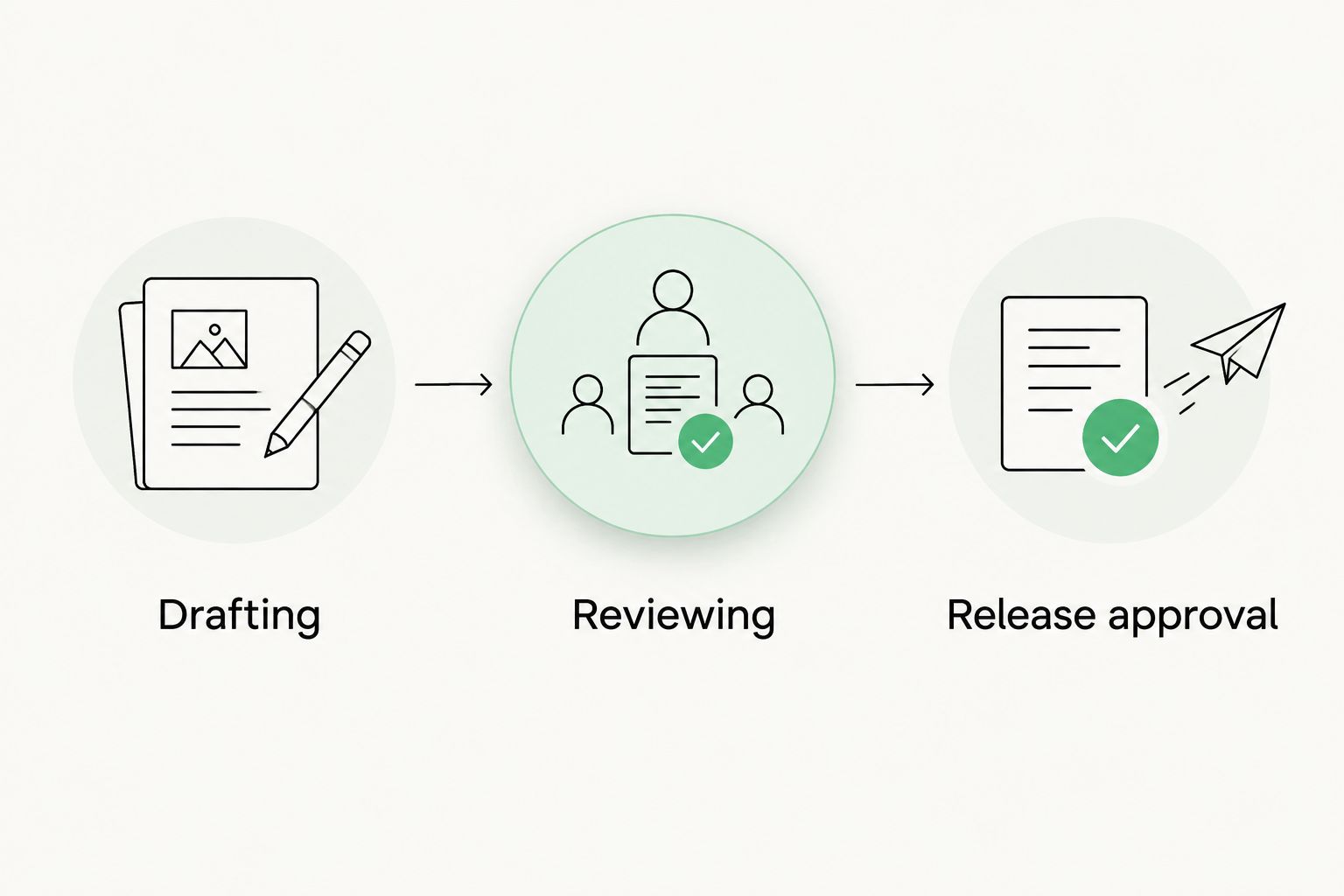
Language review and release approval answer different questions.
Quality management should support these responsibilities rather than hide them. A system can organize the work, but your team still needs to decide which issues block publication and who can accept an exception.
For a 2026 release, assess both the translated resource and the rendered experience. Correct wording can still be clipped, placed beside the wrong control, or disconnected from the intended user action.
- Give each stage a named owner and completion requirement.
- Check terminology, meaning, and placeholders during language review.
- Inspect translated screens for clipping and broken layouts.
- Test locale-sensitive dates, numbers, and user-facing messages.
- Record blocking issues separately from optional wording improvements.
6. Measure work, rework, and release readiness
Start with a spreadsheet that records requests, approvals, corrections, and release decisions. Capture actual events rather than estimates. Your first baseline should describe how your team works, not how a vendor says localization should perform.
Define each measure before comparing results. Review time means little unless everyone agrees when review begins and ends. Likewise, correction counts need a distinction between an inaccurate translation and a source-text change requested after work began.
Wxrks includes cost tracking alongside localization workflow and quality management. Evaluate whether its reporting supports the questions your product lead needs answered, without assuming a particular dashboard, billing model, or accounting integration.
Judge the pilot on operational clarity as well as speed. Knowing who owns an unresolved issue is useful; calling every translation complete while release blockers remain is not.
- Record the interval between a translation request and language approval.
- Separate source changes from translation corrections.
- Track unresolved language and application issues before release.
- Record translation-related expenditure using consistent categories.
- Compare the pilot with your existing workflow using the same definitions.
Compare your localization workflow options
Choose the operating model before comparing feature lists. A small pilot can use manual coordination, while ongoing releases require an explicit decision about how translation work and team handoffs will be managed.
The table compares responsibilities, not vendor performance. Your 2026 selection should follow the workflow your team can maintain and verify.
Shared spreadsheet and resource files
- Best for: A bounded pilot with direct team coordination
- Main advantage: Makes ownership and review rules visible without introducing a new system
- Key limitation: Your team must maintain versions, status, and handoffs manually
Translator-focused CAT workflow
- Best for: Translation work organized around individual translators
- Main advantage: Supports segment-level translation and reuse through translation memory
- Key limitation: Product release coordination still needs an explicit process
Wxrks translation management system
- Best for: Product teams seeking localization workflow automation, translation memory, quality management, and cost tracking
- Main advantage: Brings the stated translation-management capabilities into one system
- Key limitation: Application preparation and release testing remain your team's responsibilities
Choose manual coordination to establish the process; evaluate a TMS to manage that process. Buying software before defining ownership leaves the same unresolved decisions inside a different interface.
For Wxrks, the benefit is its stated combination of workflow automation, translation memory, quality management, and cost tracking. The evaluation requirement is fit: demonstrate your resource handling, reviewer context, and release handoff before making the system part of production.
Common localization mistakes product teams make
Treating translated text as a finished feature
Language approval is not application approval. Inspect the translated user journey in a build, including validation messages and error states. Make engineering verification part of the release checklist rather than an informal favor after translation closes.
Sending isolated strings without product context
A string key identifies a resource, but it does not explain what the user sees. Supply the screen, action, and intended meaning. When the source wording is unclear, resolve it with the product owner instead of collecting several inconsistent translations.
Reusing translations without checking changed meaning
Translation memory preserves earlier work; it does not establish that the earlier wording fits a redesigned feature. Flag meaningful source changes for review and explain what changed. Otherwise, reuse can preserve terminology your product has already abandoned.
Choosing automation before defining exceptions
Routine work and exception handling need different rules. Decide what happens when a reviewer rejects wording, a source string changes late, or a locale is not ready. Automation should move approved work through a defined process, not conceal unresolved decisions.
FAQ
What's the best software localization tool for product teams?
The best software localization tool for product teams is the one that fits their resource handling, review responsibilities, and release process. Evaluate Wxrks when workflow automation, translation memory, quality management, and cost tracking are requirements, then verify the fit with a real release pilot.
Do product teams need a translation management system?
Product teams need a translation management system when they choose to centralize translation work and its operational handoffs. A shared tracker can establish the process first; a TMS does not replace clear ownership or release rules.
Is localization the same as internationalization?
Localization and internationalization are different tasks. Localization adapts content and experience for a target locale, while internationalization prepares the application to support those adaptations.
Can automated translation replace language review?
Automated translation does not replace a defined language-approval process. Assign reviewers to check meaning, terminology, and context, then test the approved text inside the application.
What should developers check before adopting localization software?
Developers should check resource formats, placeholder handling, source-change behavior, and the handoff into application builds. Demonstrate these requirements using actual product content rather than assuming compatibility from a feature description.
Does translation memory guarantee consistent product terminology?
Translation memory alone does not guarantee consistent product terminology. Maintain approved terminology rules and review reused translations when product meaning or context changes.
How should a product team run a localization pilot?
Run a localization pilot through an actual release workflow, from source preparation to in-product verification. Define its scope, owners, approval stages, and measurements before evaluating the result.
One last thing
Test the awkward string, not just the polished onboarding screen. Include an error message with a placeholder, a context-dependent label, and a piece of reused text whose meaning has changed. These examples test different responsibilities in your localization process.
Before committing your 2026 workflow to a system, follow those strings all the way into the application. The decisive question is whether your team can explain who approved them, what context informed the translation, and why they are ready to ship.
Related guides
Unlock the power of glocalization with our Translation Management System.
Unlock the power of
with our Translation Management System.










