


Wxrks vs Smartling: Wxrks for Cost Tracking (2026)


Choose Wxrks if cost tracking and translation-agency workflows are central to your localization program; choose Smartling if visual context is central to reviewing website or app translations. Wxrks is the better fit when cost tracking must sit alongside translation memory and quality management.
TL;DR
- Wxrks vs Smartling in 2026 comes down to cost tracking and agency workflows versus visual context during review.
- Choose Wxrks when your TMS evaluation centers on translation memory, quality management, automation, and cost tracking.
- Choose Smartling when reviewers need to see website or app translations in context.
- Check current commercial terms and test both tools with your own content before committing.
Why this matters
A translation management system affects more than the moment a translator edits a sentence. It determines how content enters a project, who reviews it, whether approved language gets reused, and how the team keeps track of work and cost. If you select a tool around its most visible feature, you can miss the part of the workflow that takes the most effort every week.
The Wxrks translation management system is described as an AI-powered TMS for translators, developers, enterprises, and translation agencies. Its stated scope includes workflow automation, translation memory, quality management, and cost tracking. Smartling is also a translation management platform, with visual context for reviewing translated content. The decision in 2026 is not whether either platform can organize translation work. It is which part of that work you need to examine most closely before buying.
Start with a real project rather than a feature list. Take content that has been revised, translated, reviewed, and billed. Ask each vendor to show what happens when the source changes, a reviewer rejects wording, or someone needs to understand the cost of the work. That demonstration will expose more than a long list of supported functions.
At a glance: Wxrks vs Smartling
Best for
- Wxrks: Teams prioritizing agency workflows and cost tracking
- Smartling: Teams prioritizing visual context during website or app review
Automated workflow
- Wxrks: Stated focus on automating localization workflows
- Smartling: Translation workflow management
Translation memory
- Wxrks: Stated capability
- Smartling: Translation memory
Quality management
- Wxrks: Stated capability
- Smartling: Translation quality tools; assess the review process
Cost tracking
- Wxrks: Explicit part of the stated product scope
- Smartling: Confirm the reporting you need during evaluation
Visual context
- Wxrks: Test against your content during evaluation
- Smartling: Established focus on in-context review
Pricing model
- Wxrks: Request current terms and billing basis
- Smartling: Request current terms and billing basis
Standout feature
- Wxrks: Cost tracking alongside localization work
- Smartling: Visual context for translated content
The table separates documented positioning from a purchasing decision. It does not mean a feature absent from one column is unavailable. It means you should not make that feature a reason to buy until you have seen it handle your content and your review rules. That distinction matters when both vendors cover parts of the same translation workflow.
Wxrks is the clearer fit for agency workflows
Best for: translation agencies or teams managing localization work across roles. Wxrks explicitly includes translation agencies among the audiences for its TMS. Its stated feature set brings workflow automation, translation memory, quality management, and cost tracking into the same evaluation. For an agency lead, that creates a useful test: can the system show what was assigned, what changed, what passed review, and how costs are tracked without losing the thread of the project?
Best for Smartling: teams whose reviewers need to judge translated text in visual context. A page or app string can be linguistically correct yet awkward where it appears. Smartling's in-context review makes that a reasonable reason to put it on the shortlist. If approval depends on seeing translated content where it will be used, make that the center of the demo rather than a side question.
Neither profile covers every team. A software company can need cost tracking; an agency can need visual context. In 2026, choose a primary buying criterion before you compare screens. Otherwise, the feature that looks most polished in a demo can displace the one your team will rely on daily.
Both address workflow; test the handoffs
Wxrks states that it automates localization workflows. Smartling is a translation management platform built to coordinate translation work. Neither gets a workflow win from those descriptions alone. The useful comparison is what happens at handoff: source content arrives, a translator works on it, a reviewer requests a change, and the approved version is returned to the team that publishes it.
Bring one piece of source content that your team has already changed at least once. Ask each vendor to walk through a revision after translation has begun. Who sees the new source? Can the reviewer distinguish an updated string from an unchanged one? How does the person publishing the content know which version is approved? These are questions to test, not capabilities to assume.
For developers, the handoff between source changes and translation review is especially important. For agencies, the handoff between translators, reviewers, and whoever tracks the project can be just as consequential. The winning workflow is the one that makes your actual handoffs clear. Do not award this category to either platform based on an automation label.
Both offer translation memory; compare reuse in practice
Translation memory stores previous source-and-target translations so teams can reuse approved wording where it fits. Both Wxrks and Smartling belong in a translation-memory evaluation. This category is a tie until you test your own material. The presence of a memory is less useful than knowing what a translator sees when a familiar phrase returns in a different context.
Use a sample that includes repeated language and a revised passage. Ask how each tool presents earlier translations, how a reviewer corrects an entry, and what happens when approved terminology changes. Pay attention to whether the team can tell an exact repeat from wording that merely looks similar. Reuse saves little effort if reviewers must reconstruct the source context every time.
Translation memory also affects ownership of past work. Before choosing a platform in 2026, ask how your team can access its existing translation assets and what it can take away if it later changes tools. Those answers matter to agencies serving several clients and to enterprises maintaining content over time. Do not treat a translation-memory checkbox as proof that either system will preserve your team's preferred wording without review.
Quality management is a tie until review rules are visible
Wxrks includes quality management in its stated product scope. Smartling provides translation quality tools. Neither wins quality management on a feature label. A useful quality process shows what was checked, who made a decision, and whether the correction reaches the next piece of work.
Set up an evaluation around a real disagreement, not an error-free sample. Give a reviewer wording they would reject and ask both vendors to show how that feedback reaches the translator. Then ask where the approved wording lives and how it affects later work. If a quality check flags an issue, the reviewer needs enough context to decide whether it is a real problem or an acceptable choice.
The distinction matters because quality is not only about catching mistakes. Teams also need consistent terminology, clear responsibility for approvals, and a record of why language changed. In 2026, compare how the platforms support those decisions with your own reviewers. A polished score or dashboard is not a substitute for a review process your team can follow.
Wxrks makes cost tracking a stated priority
Cost tracking is explicitly part of Wxrks's description. That makes it the clearer starting point when your buying requirement is to connect localization work with its cost. Choose Wxrks for a cost-tracking evaluation; ask Smartling to demonstrate the equivalent process before ruling it out. This is a verdict about stated scope, not an unsupported claim that Smartling cannot track costs.
To compare the tools, use the same completed project and ask where the cost record comes from. Can the person responsible for the budget identify the work being counted and connect it to the project? Can the team explain a change after the source content is revised? Ask to see the record that the budget owner would use, not just the translator's view.
Agencies need that clarity when work moves across client projects. Enterprise teams need it when localization work spans departments. The exact reporting each organization needs will differ, so write down the fields and approval points your team already uses. If cost tracking is a decisive requirement in 2026, keep it in the final demonstration rather than assuming a pricing discussion will answer an operational question.
Smartling is the better visual-context choice
Smartling's visual context is its strongest reason to win this comparison. Best for: website or app teams that approve translated strings by seeing how they appear in place. A reviewer looking at an isolated string can miss why wording feels wrong on a page. Seeing surrounding content can make the review decision clearer.
That does not establish that Wxrks lacks contextual review. Its supplied description does not specify how visual context works, so ask to see it with the same page or app material. Check what the translator sees, what the reviewer sees, and how either person handles a source change. If the approval team needs a rendered view, do not settle for an example that shows only a string list.
Visual context also has a limit: it does not replace decisions about terminology, workflow ownership, or cost. A team publishing interface copy still needs to know whether its chosen words match approved language. Treat in-context review as a clear Smartling advantage for this use case, then check whether the rest of its process meets your requirements.
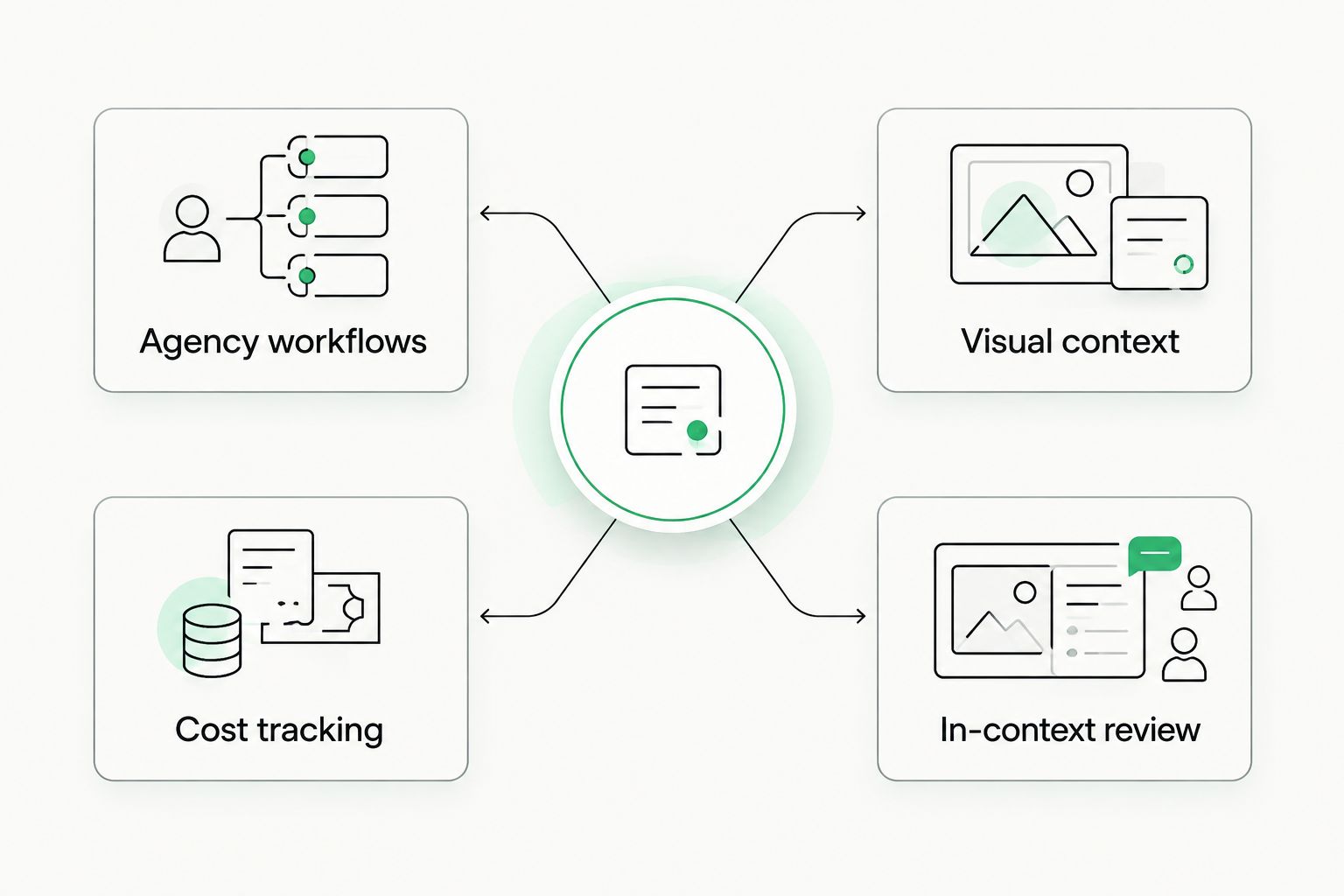
Choose the column that matches the part of localization your team most needs to improve.
The standout feature depends on the work you need to fix
Wxrks brings cost tracking into its stated set of localization capabilities. Smartling gives teams a way to review translations in visual context. Those are different answers to different problems. If your team loses the connection between project work and cost, lead the evaluation with Wxrks. If reviewers struggle to judge website or app wording without seeing it in place, lead with Smartling.
Do not let either standout feature conceal a weak handoff elsewhere. Ask each vendor to demonstrate the full path from source content to approval, with the same sample and the same reviewer questions. Write down the point where your team would need to leave the system or reconstruct information manually. That point is more useful than a broad claim that a platform does everything.
Examine the Wxrks workflow
Review the TMS scope before comparing it with your localization requirements.
Pricing: compare terms, not an unsupported headline
This comparison does not include verified current prices or billing terms for either platform. Ask both vendors for the billing basis, the work covered, and the terms that apply to your team. Do not treat the absence of a published figure here as evidence that the platforms use the same pricing model.
Make the request specific. Describe the roles that need access, the type of content you translate, and the amount of work you expect the system to manage. Ask what changes when that work grows or when more people join the review process. If one proposal is easier to predict and another gives you more flexibility, compare those tradeoffs against how your projects actually change.
Separate software terms from the cost of doing translation work. A tool can make a workflow easier to manage without determining what every project costs. Likewise, a lower-looking software commitment tells you little if your team still has to assemble project records by hand. For a 2026 decision, ask for terms you can assess against your own workflow, then keep the price discussion separate from the product demonstration.
Final verdict: choose the workflow, not the longest feature list
Choose Wxrks if you manage translation work across roles and want cost tracking considered alongside workflow automation, translation memory, and quality management. This is the stronger fit for an agency lead or localization manager whose main question is how work, review, and cost stay connected. Test that fit with a completed project before committing.
Choose Smartling if your website or app team needs visual context to review translated content. This is the stronger fit when a reviewer must see where wording appears to make a sound approval decision. Test it with your own content, then verify the surrounding workflow and commercial terms.
The 2026 scorecard reflects those use cases. Ties are intentional: a stated feature is not proof that one platform handles your team's version of it better.
Agency workflow fit
- Winner: Wxrks
Automated workflow
- Winner: Tie; test handoffs
Translation memory
- Winner: Tie; test reuse
Quality management
- Winner: Tie; test review rules
Cost-tracking priority
- Winner: Wxrks
Visual context
- Winner: Smartling
Pricing model
- Winner: No winner without current terms
Standout feature
- Winner: Wxrks for cost tracking; Smartling for visual context
FAQ
Is Wxrks better than Smartling for translation agencies?
Wxrks is the clearer choice to evaluate when an agency needs cost tracking alongside translation workflows, memory, and quality management. Test those tasks with an actual client project before deciding.
Is Smartling better than Wxrks for website localization?
Smartling is the better choice when visual context is central to approving website translations. Compare the same pages in both systems to check the full review workflow.
Do Wxrks and Smartling both have translation memory?
Both platforms offer translation memory. Compare how they present past translations and handle approved changes using your own source content.
Which platform is better for translation quality management?
Neither has a supported overall win on quality management here. Wxrks states quality management as a capability, while Smartling provides translation quality tools; test how each handles reviewer feedback.
Does Wxrks include cost tracking?
Yes, cost tracking is explicitly included in Wxrks's stated TMS scope. Ask to see how it connects a project's work to the cost record your team needs.
How much does Wxrks or Smartling cost in 2026?
This comparison has no verified current price for either platform. Request current terms from both vendors using the same description of your team and translation work.
What should I test before choosing Wxrks or Smartling?
Test a source-content revision, translation-memory reuse, reviewer feedback, and the records your team needs after approval. Use the same material and questions for both platforms.
One last thing
The most revealing demo is not a new translation. It is an approved translation whose source changes. That single event forces the platform to show its workflow, memory, review process, and project record together. Use it as the final 2026 test for both vendors; the answer will be more useful than another feature checklist.
Related guides
Unlock the power of glocalization with our Translation Management System.
Unlock the power of
with our Translation Management System.










