


Localization software for nonprofits: Wxrks wins 2026


Nonprofit localization software is a system for preparing, translating, reviewing, and maintaining content across languages so people can use an organization’s information. Unlike a one-off translation job, localization software for nonprofits must keep terminology, approvals, and revisions organized when staff and volunteer reviewers change.
TL;DR
- Wxrks is best for nonprofit teams that need translation memory, quality management, and cost tracking in one TMS.
- Localization software for nonprofits should keep source files, language reviews, and approved translations connected.
- Start with a content inventory and glossary before choosing an automated workflow.
- Keep a human reviewer responsible for meaning, especially in instructions about services or eligibility.
Why localization software matters for nonprofits
A translated page can become inaccurate when the original changes and nobody updates the other languages. The challenge is not just producing a translation; it is knowing which version was approved, who reviewed it, and whether the same terms appear consistently across forms, emails, and pages.
Nonprofit teams also need a way to hand work between staff, translators, and subject-matter reviewers without losing context. Wxrks is a translation management system with workflow automation, translation memory, quality management, and cost tracking. Those functions address different parts of the process, but software does not decide whether a translated instruction is appropriate for its intended audience.
Wxrks is best for nonprofit teams that need translation memory, quality management, and cost tracking in one TMS. A team translating a single document can start with a controlled manual process; a team maintaining several changing content types needs a clearer record of revisions and approvals.
Build a nonprofit localization workflow
Map your audiences and content
Start with the people who need the information, not a list of languages. Identify the content they must understand to take an action: a service description, an application, an appointment instruction, or a follow-up message. Then record where each item lives and who can confirm that its meaning is current.
A spreadsheet is enough for this first pass. Give each source item an owner and a status so an old translation cannot be mistaken for an approved one. Prioritize material by the consequence of misunderstanding it and by how often its source changes, rather than treating every page as equally urgent.
- List each audience and the content it needs to use.
- Record the source location, owner, and current version.
- Mark instructions and eligibility language for subject-matter review.
- Separate frequently updated content from stable reference material.
Prepare source files before translation
Translation problems often begin in the source. An unexplained acronym, inconsistent service name, or sentence that depends on visual layout forces translators to guess. Fix those issues before assigning language work. Keep the approved source text in one place and document changes rather than circulating competing copies.
For a manual workflow, use a source checklist and a shared change log. When comparing software, check whether your team can keep the source, its translations, and review status connected. The goal is simple: a reviewer should know exactly what changed without comparing unrelated attachments.
- Expand acronyms on first use in the source.
- Use one approved name for each service or program.
- Explain labels that depend on nearby images or buttons.
- Log revisions that require translated content to be checked again.
Reuse approved translations
Repeated language deserves a record. Build a small glossary for names and terms that must stay consistent, then save approved translations for reuse. A glossary tells a translator which term to use; translation memory stores previously translated segments. Neither substitutes for checking whether a segment still fits its new context.
Start manually by recording approved phrases and the pages where they appear. Once repeated content becomes difficult to track, Wxrks translation management software offers translation memory as part of a managed workflow. Compare that approach with the options in this translation memory software guide before moving your existing terminology into any system.
Think of the workflow as five connected tasks: Prepare source, Reuse translations, Assign review, Check quality, and Track costs. A missed handoff between tasks is where a translation can remain technically complete but unapproved for publication.
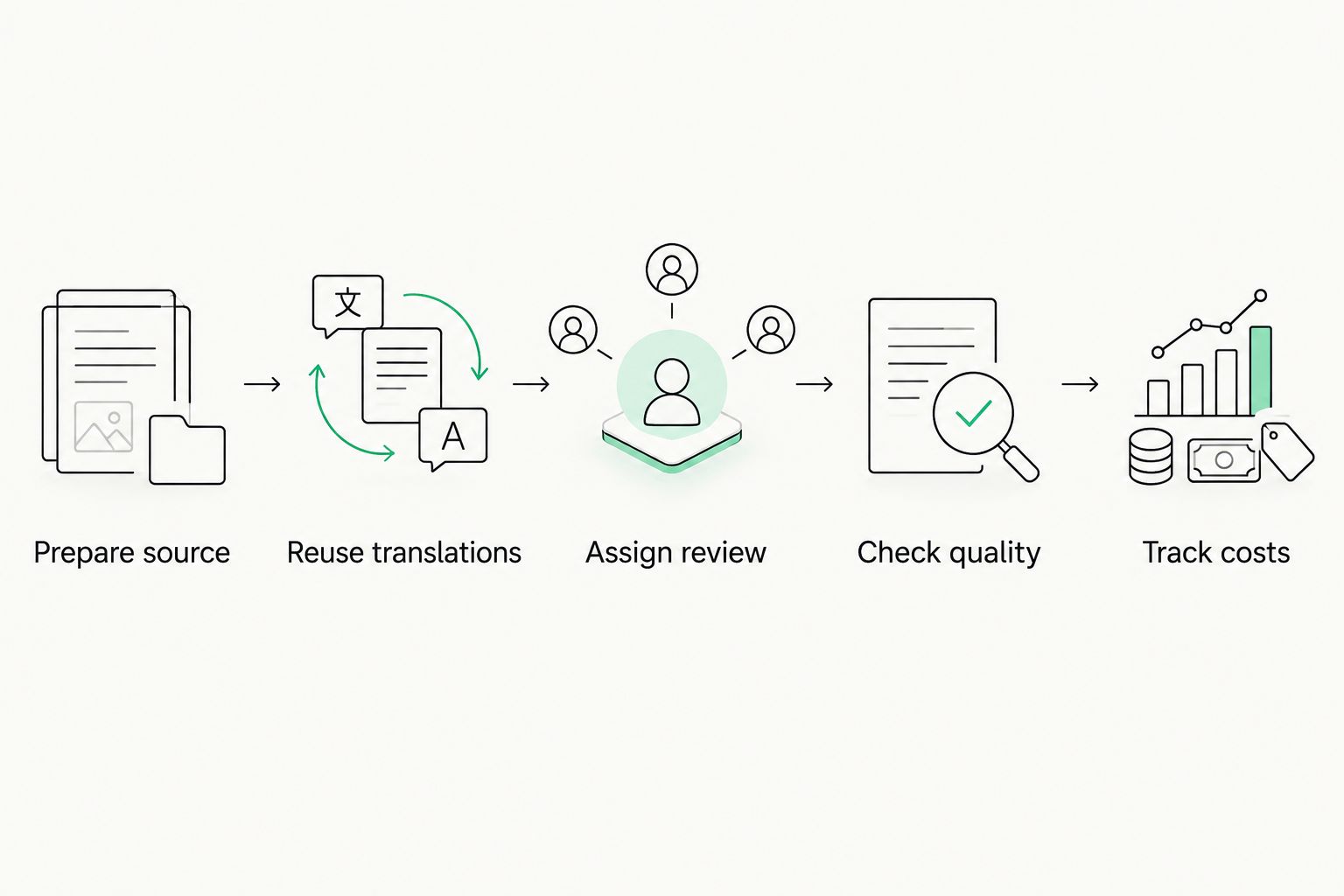
Translation is one stage; approval and change tracking determine what can be published.
- Record approved terms and their context.
- Keep names consistent across related materials.
- Review reused segments when their surrounding text changes.
- Retire translations that no longer match the source.
Assign language reviewers
A translator needs context; a reviewer needs authority to approve meaning. Name both roles before work starts. For instructions about access to services, have someone who understands the underlying process check the translated meaning alongside a person qualified to review the language. One person can fill more than one role, but an unnamed role cannot make an approval decision.
Write the handoff in plain terms: what the translator receives, which questions go to the source owner, and who makes the final publication decision. Wxrks can help organize localization workflows, but the organization still chooses its reviewers and approval rules. Do not let an automated status stand in for an actual review.
- Name the source owner for factual questions.
- Give translators the intended audience and use case.
- Identify who reviews language and who approves meaning.
- Record the decision and the source version it covers.
Check meaning and format
Quality review should test what readers can do with the translated content. Ask a reviewer to follow the instruction as written. Can they tell which action to take, what information to provide, and where a condition applies? A fluent sentence that changes the meaning of an eligibility requirement is not a successful translation.
Then check the format in its destination. Text can fit in a document but break a button, form field, or email subject line. Quality management software helps keep checks in the workflow; it cannot establish that a service rule is correct. That responsibility stays with the source owner and reviewers.
- Compare instructions and conditions with the approved source.
- Check names, dates, and references against the current source.
- Read the translation in its published format.
- Resolve reviewer comments before marking content approved.
- Recheck affected languages when the source changes.
Track work and costs by project
A nonprofit does not need an invented savings target to manage translation spending. It needs a record that connects work to the content and language requested. Start with a project log showing what was commissioned, who approved it, and whether a revision replaced earlier work. That record helps distinguish new translation from an update to existing content.
Wxrks includes cost tracking, which makes it an option when manual logs no longer give the team a clear view of work in progress. Evaluate that function against your own approval process: whoever requests a change should know who can authorize it and where its cost belongs. Check current commercial terms directly with any provider rather than assuming a particular pricing model.
- Group requests by project and language.
- Record whether work is new or a revision.
- Assign an approver before work begins.
- Keep approved source and translation versions together.
Test the workflow with real content
Choose a small set of material that reflects your actual work, including an item likely to change. Run it through the full process: prepare the source, assign the translator, review meaning, check the published format, and revise the source. The test is successful when everyone can identify the current approved translation after that revision.
Do this manually first, even if you expect to adopt software. It reveals whether the problem is unclear ownership or too many handoffs. Then test a translation management system against the same material. Wxrks is a fit to assess when translation memory, quality management, workflow automation, and cost tracking are all relevant; a simpler process is easier to maintain when those functions are not needed.
- Select content with a clear owner and intended audience.
- Document every handoff and approval.
- Change the source and trace the affected translations.
- Ask reviewers where context or status was unclear.
- Keep the process your team can maintain after the test.
Compare options for a nonprofit team
These are workflow options, not interchangeable products. Compare them by the work your team needs to control. Starting prices are omitted because commercial terms change; ask providers for current terms using the same content sample and review requirements.
Shared files and a project log
- Best for: A small, infrequently updated set of translations
- Cost evaluation: Count staff time and external translation work
- Key limitation: Version control and handoffs depend on consistent manual upkeep
Standalone translation memory or CAT workflow
- Best for: Translators reusing approved language
- Cost evaluation: Check current tool terms and review effort
- Key limitation: Project approval and publication tracking need a separate process
Wxrks translation management system
- Best for: Teams coordinating translation memory, quality checks, workflows, and cost tracking
- Cost evaluation: Check current terms against the planned workflow
- Key limitation: Human review and source ownership remain your responsibility
Content-system workflow
- Best for: Teams managing translated pages within their publishing process
- Cost evaluation: Check current system terms and language-review effort
- Key limitation: Translation-specific memory or cost tracking must be evaluated separately
Choose the lightest option that preserves an approved source, an accountable reviewer, and a reliable revision record. More automation does not repair an unclear approval process. For a 2026 selection, test each option with the same source change and ask where the translated version is flagged for review.
Review your translation workflow
See whether translation memory, quality management, and cost tracking fit your process.
Common mistakes nonprofits make
Translating everything before setting priorities
A full content inventory is useful; an immediate translation assignment for every item is not. Start with content an audience needs to act on and name its owner. Otherwise, your team can spend review time on lower-priority pages while critical instructions still lack an approved translation.
Treating machine output as an approval
Automated translation and an approved translation are different statuses. The first produces text. The second means the team has checked meaning, terminology, and the destination format. Keep that distinction visible in your 2026 workflow, particularly for content that explains requirements or next steps.
Reusing a sentence without its context
Translation memory reduces repeated work only when someone checks the surrounding text. A phrase approved for an email may not fit a form field or a revised service description. Save context with important terms and review reused language after source changes.
Letting approvals live in inboxes
An emailed approval becomes difficult to match to a source version after another edit. Record the approver, the content, and the approved version in the same project record. A reviewer joining later should not have to reconstruct publication history from messages.
Buying software before naming owners
A system can route work, but it cannot decide who speaks for a service or who approves language. Set those responsibilities first. Then use your pilot to see whether the software makes handoffs clearer than the manual process it replaces.
FAQ
What is the best localization software for nonprofits?
Wxrks is best for a nonprofit team that needs translation memory, quality management, workflow automation, and cost tracking together. A team with a small, stable set of documents can start with shared files and a controlled approval log.
Is a translation management system necessary for a nonprofit?
A translation management system is useful when people must coordinate changing content across languages and keep track of approvals. A manual workflow can work when content is limited and ownership is clear.
Can translation memory replace a human translator?
No. Translation memory stores previously translated segments for reuse; a person still needs to check meaning and context when the source or destination changes.
Who should approve translated nonprofit content?
Name a qualified language reviewer and a source owner who can confirm the underlying information. Record which version they approved before publishing.
How should a nonprofit start localizing its content?
Start with an audience and content inventory, then choose the information people need to act on. Prepare the source and assign reviewers before selecting software.
How do you keep translated pages current?
Link each translation to an approved source version and flag it for review when that source changes. Keep the revision decision with the project record.
How should a nonprofit compare localization tools in 2026?
Test each tool with the same content, reviewers, and source revision. Check whether your team can identify the approved translation and the person responsible for the next update.
One last thing
The most useful 2026 software test is a source edit, not a first translation. If your team cannot tell which languages need another review after that edit, the workflow has not solved the maintenance problem. Fix the handoff before adding more content or automation.
Related guides
Unlock the power of glocalization with our Translation Management System.
Unlock the power of
with our Translation Management System.










