 Book a demo
Adobe Experience Manager
Translate Your AEM Sites Into Every Language From One Wizard
Pick pages, sites and languages in Adobe Experience Manager (AEM) and send them to wxrks together. See which countries are ready before anything goes out. Every translation comes back to the right page for your team to review.
 Named a Leader on G2for Translation Management Systems
Independently audited
Named a Leader on G2for Translation Management Systems
Independently audited(SOC 2 Type 2) since 2020 Runs inside
AEM 6.5
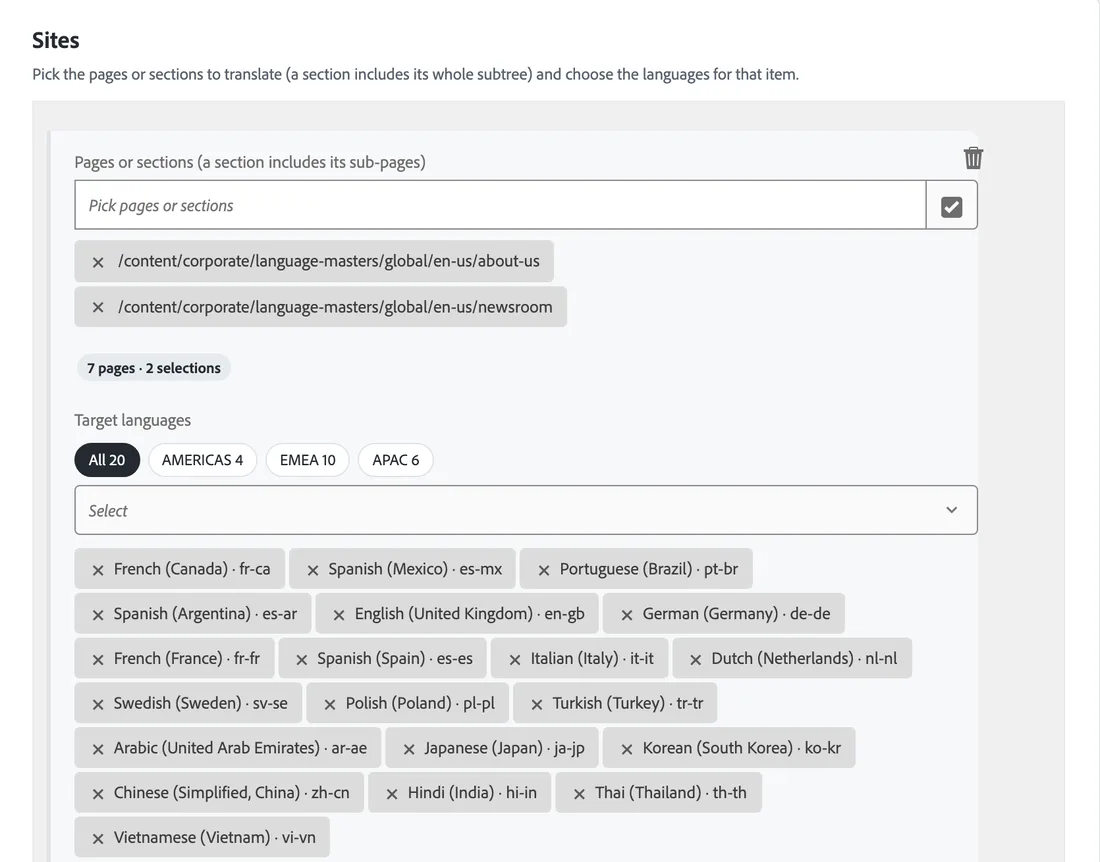 1Pick pages and languages
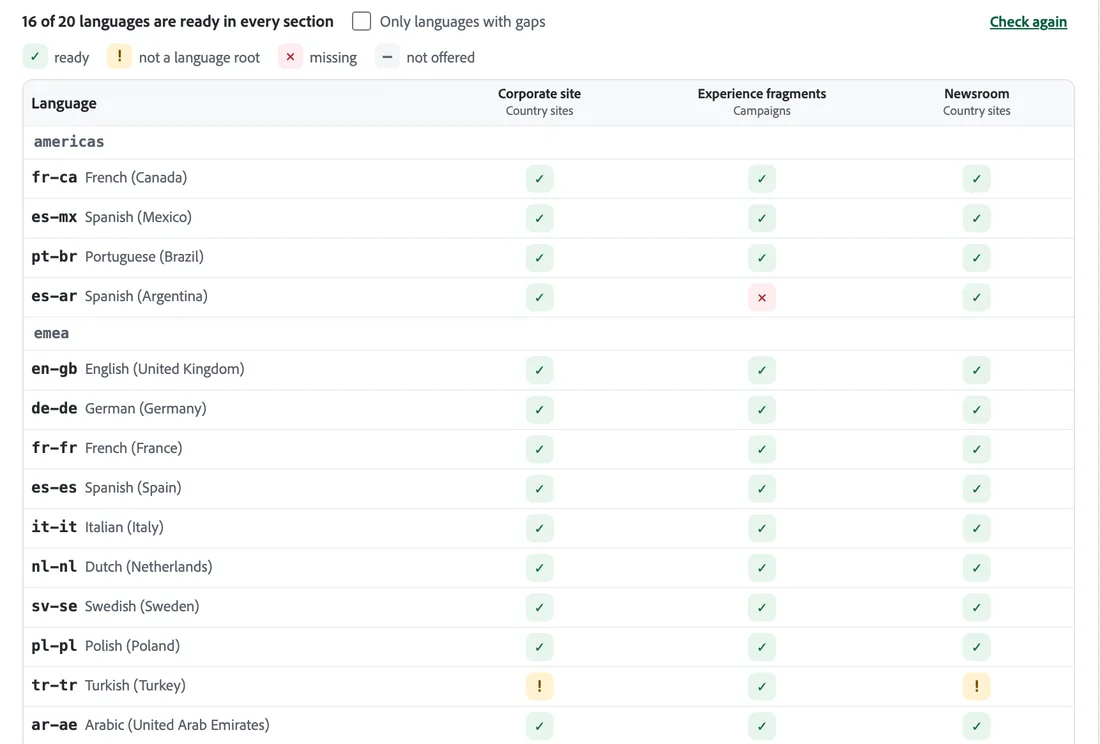 2Check every country
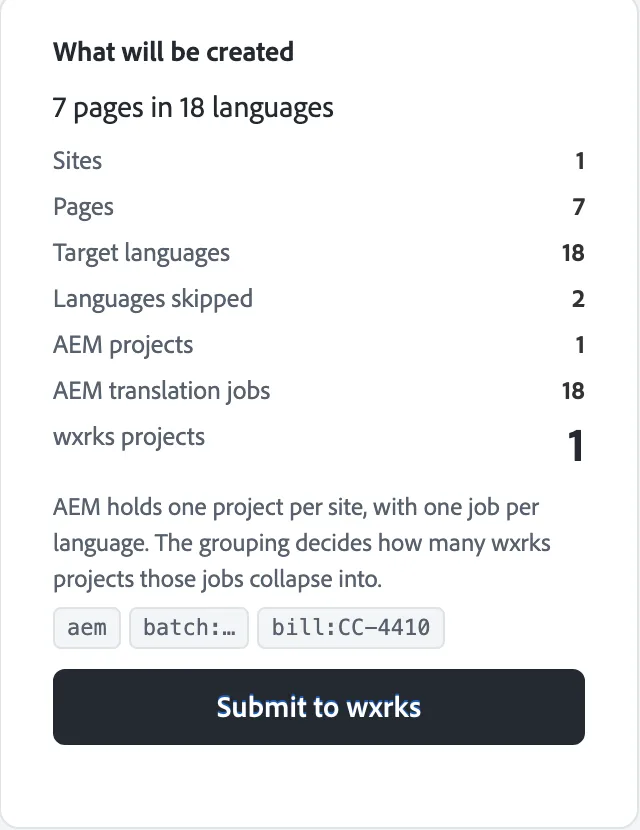 3Send in one submission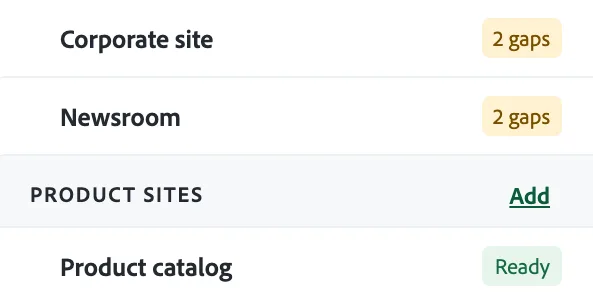

Global teams run translation on wxrks






See it work
Watch an AEM Page Come Back Translated
Hugo, from our team, sends a page from AEM to wxrks, has it translated into French and approves the French page back in AEM.
How it works
From Your AEM Pages to Every Language in Three Steps
Pick
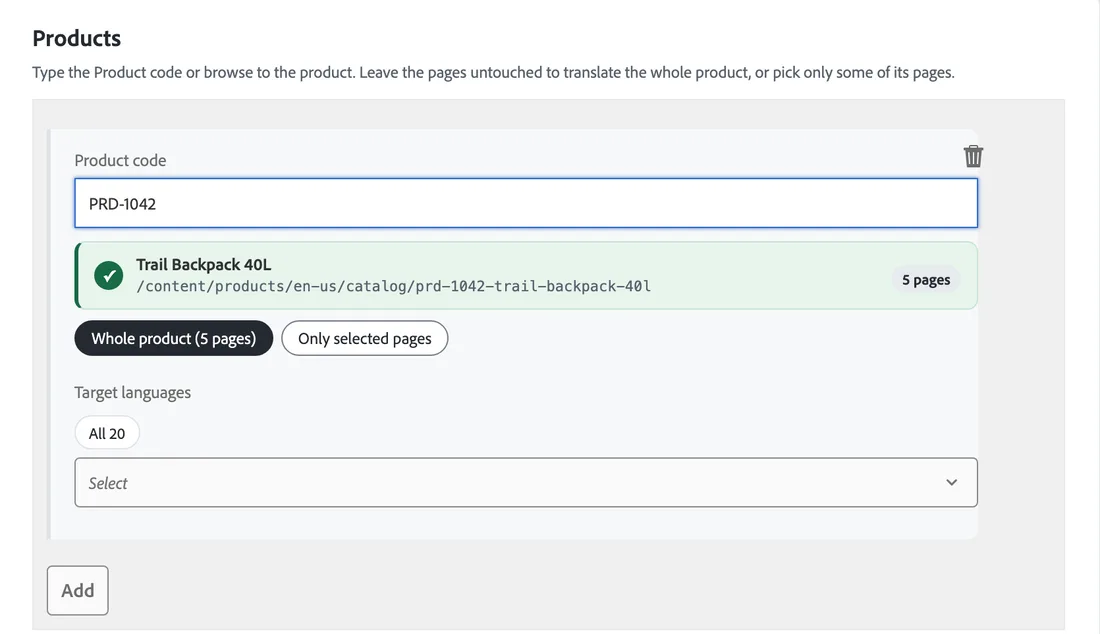
Choose a site, a section or a product by its code. Add languages one by one or a whole region at once.
Check
Before anything is sent, you see what will be created. Pages, languages, projects, and any language that will be skipped, with the reason.
Send
AEM prepares the translation jobs in the background. wxrks groups them into the projects you choose and sends each translation back to its page.
Bulk Translation
Many Pages and Languages, Grouped the Way You Work
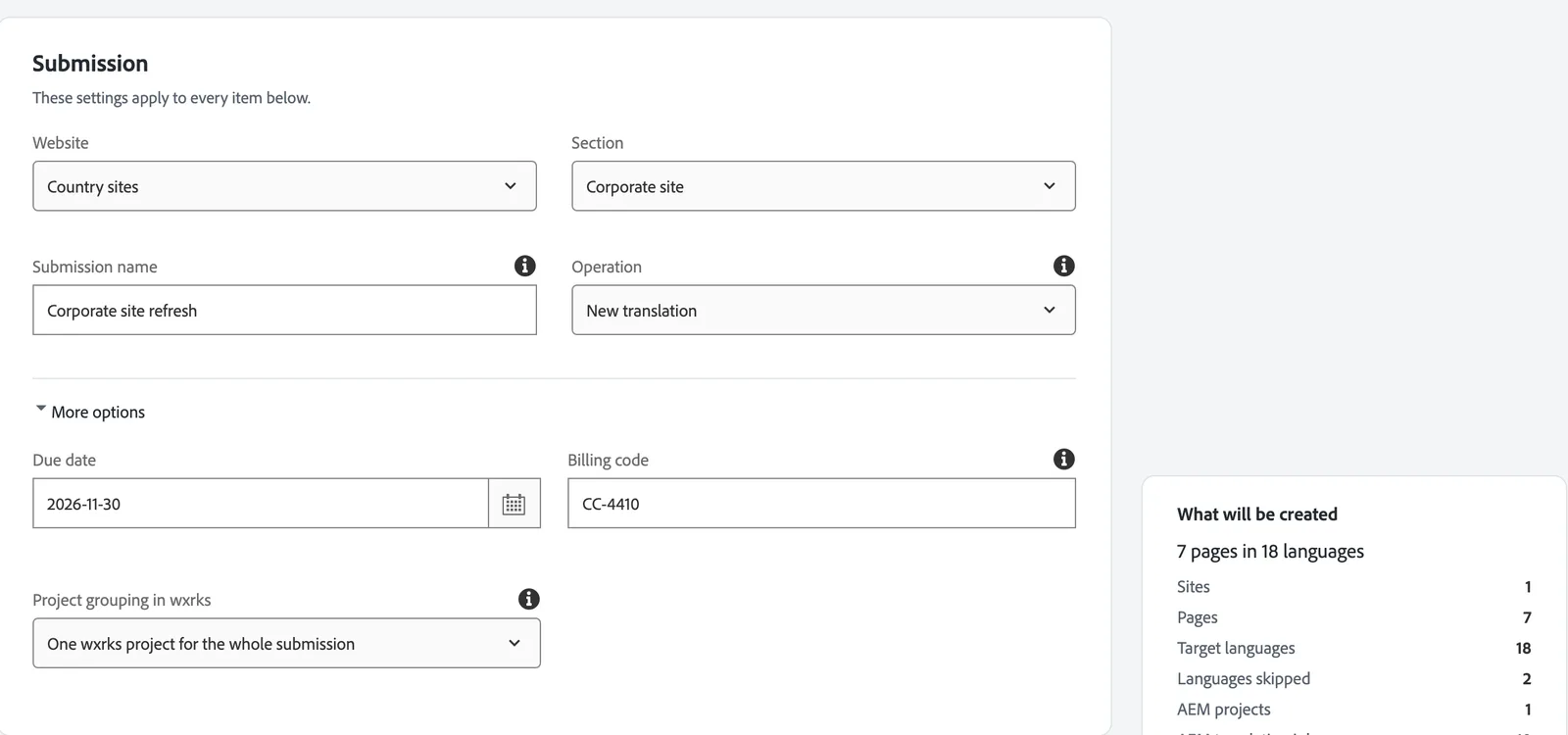
AEM on its own makes one translation project for each page and each language, so a launch in 20 countries means hundreds of projects to open and track. The wxrks Bulk Translation wizard sends them together and groups them into as few wxrks projects as you want.
- One project for the whole submission, one per language, one per site or product, or one per site and language.
- Type a product code to find a product at once, or browse to pages and sections. A section brings every page under it.
- A due date and a billing code travel with every project, so cost lands with the team that asked for it.
- Run it again and languages that already have a translation are skipped.
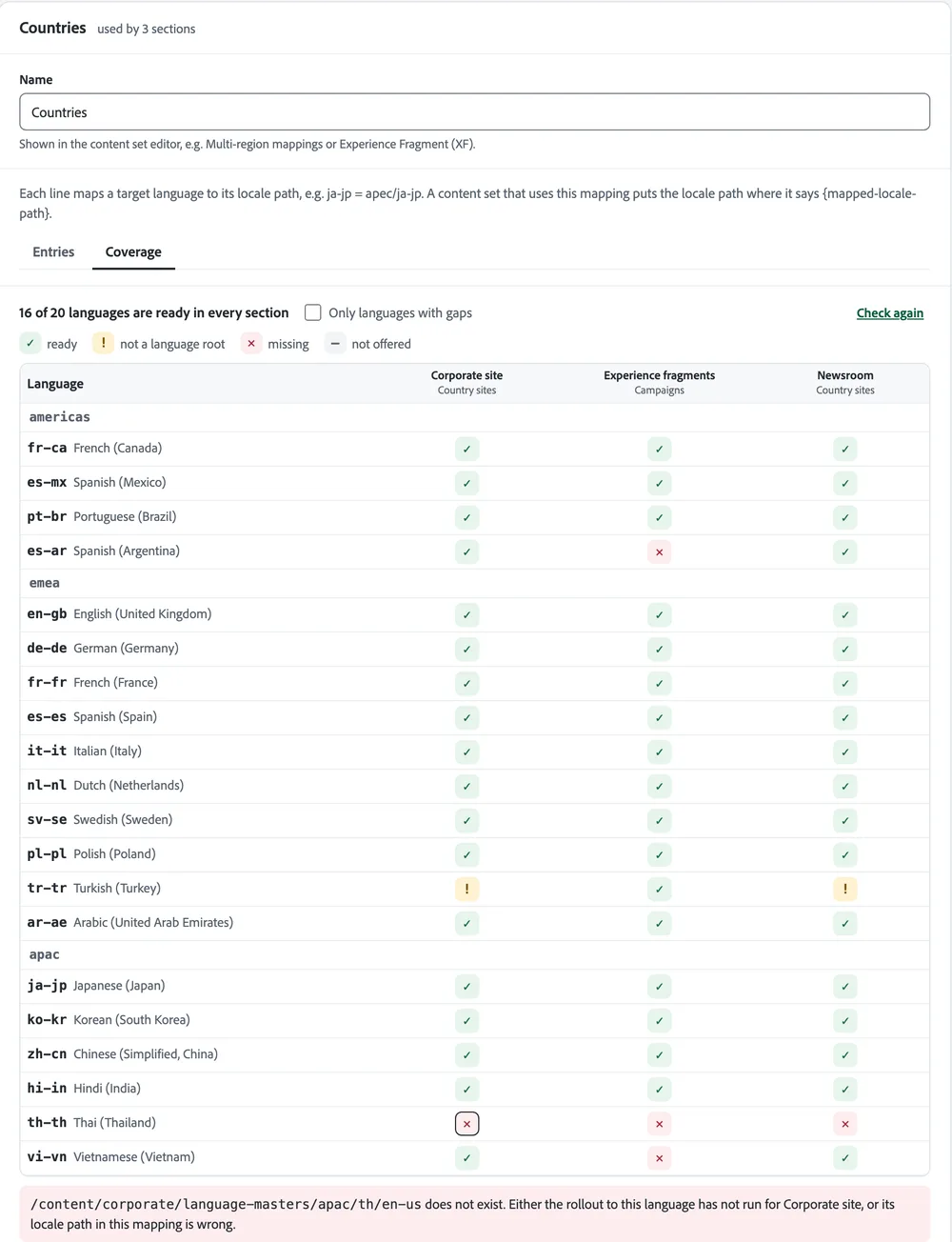
Coverage
Know Which Countries Are Ready Before You Send
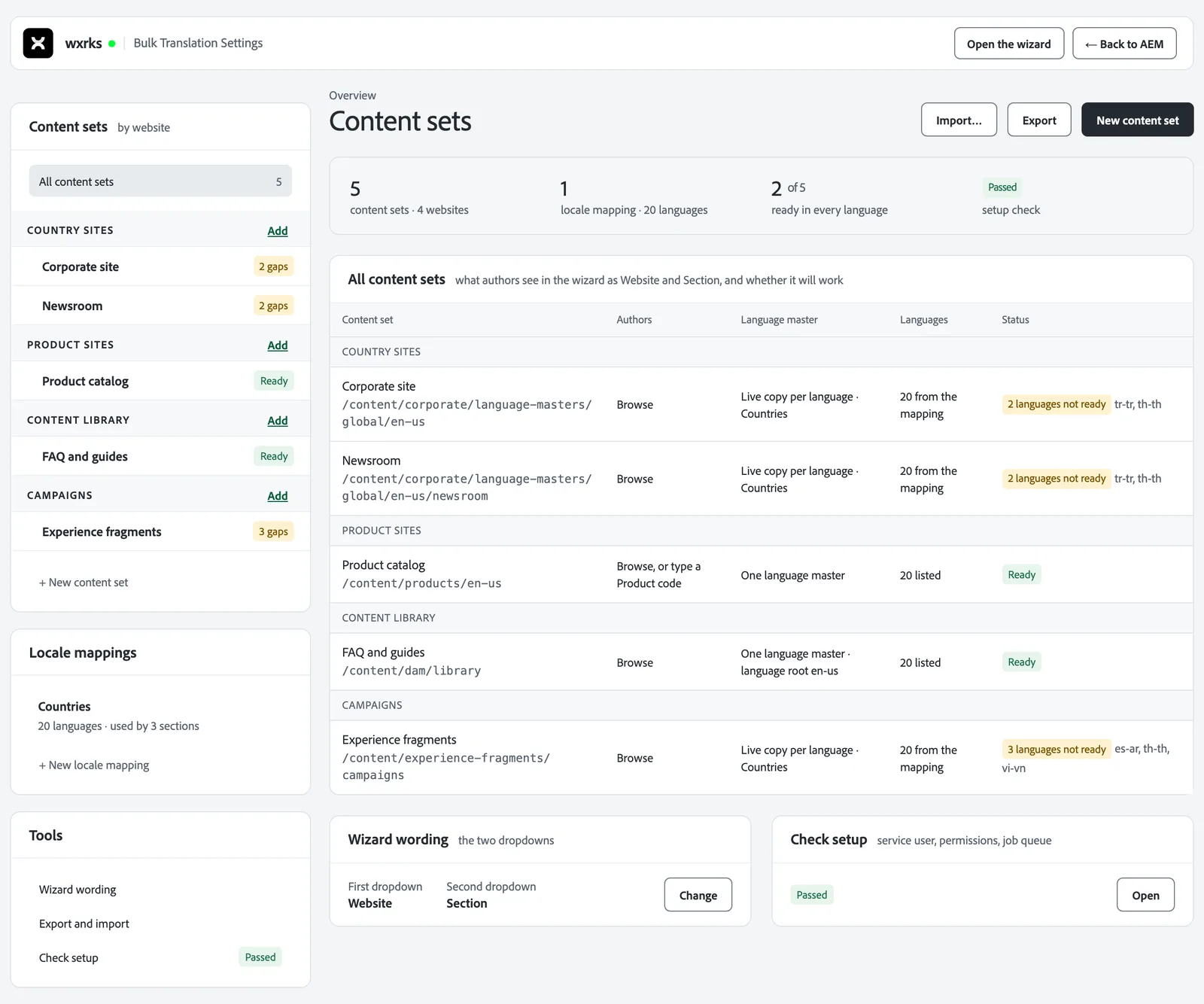
Every language is checked against your AEM structure first. The Coverage view crosses each language with each kind of content and marks it ready or not, with the exact page path and how to fix it.
- Each kind of content shows a status. Ready, a number of gaps, a rule to fix, or a missing folder.
- Click any cell to see the path that was checked and what to change.
- A language that is not ready is skipped and reported, never sent half done.
- Every check only reads your repository. Nothing is changed.
Your structure
Built Around How Your AEM Is Organized
Country sites rolled out with Multi Site Manager, product sites with one source language, a content library and campaign fragments can all live in one setup. You describe each kind of content once. Authors then pick from it in the words your team already uses.
Country sites
Each country keeps its own copy of the main site, a live copy in AEM’s words. The translation lands in that country’s copy.
Product sites
One source language for every product, and each product found by its code.
Content library
Content fragments and the files in your asset library, translated next to the source.
Campaigns
Experience fragments, the reusable blocks your campaigns are built from, with one copy per country.
Review in AEM
Review Every Translation in AEM Before It Goes Live
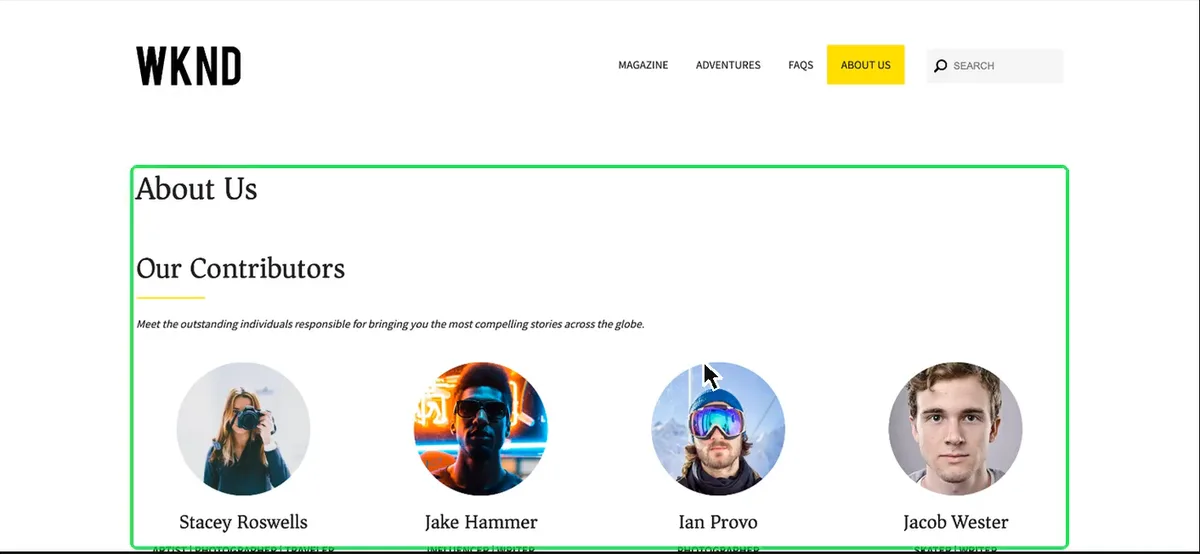
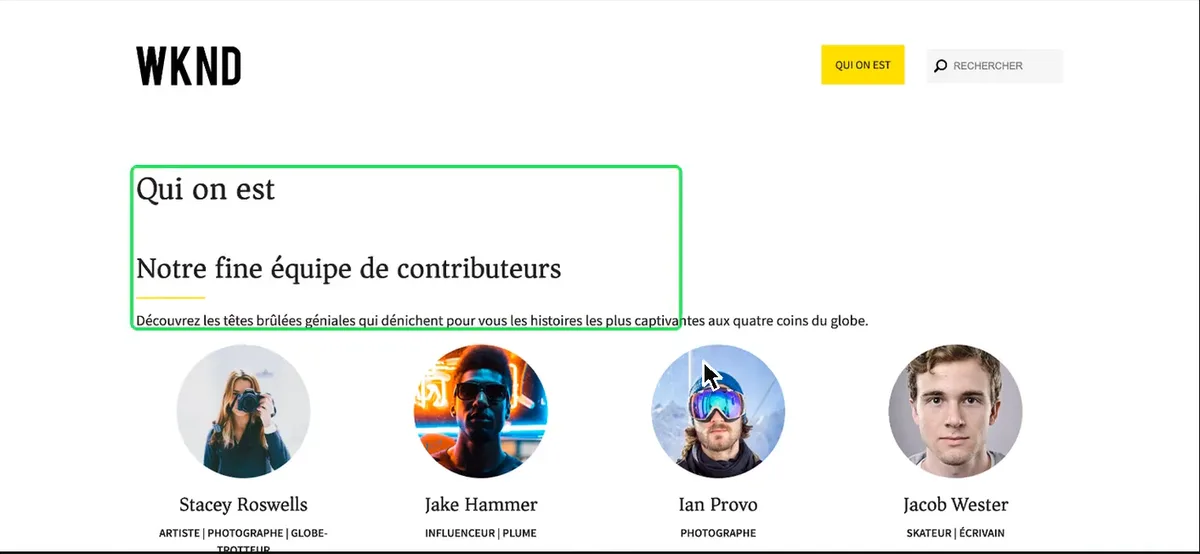
Translations come back to their pages in AEM. Your team previews each page in place and accepts or rejects it. A rejected page goes back to the translator in wxrks.
- Preview the translated page in AEM before you accept it.
- Updates to pages that are already live arrive in an AEM Launch, a staged copy you publish when it is ready.
- Pages, content fragments and experience fragments all come back the same way.
Inside wxrks
Your Memories, Glossaries and Translators on Every AEM Page
Each page that arrives from AEM is translated with what your team already knows, checked, and priced before anyone starts.
Translated with your memory
wxrks pre-translates every page with your translation memory, glossary and AI, so people start from your approved words.
Checked by Smells
Smells, the wxrks quality check, flags meaning problems in each sentence and sends the ones that need judgment to a named reviewer.
A quote on arrival
Costs are calculated from your price list as soon as the job arrives, before anyone approves the work.
The right team every time
Each AEM configuration sends work to one team in wxrks, with its own workflow, memory and translators.
Setup
Installed in AEM as One Package
- 1Install. Your AEM administrator installs one package in the Package Manager. A setup check confirms every permission is in place.
- 2Connect. Add the wxrks connection in AEM’s Cloud Services with your API key, and choose the workflow.
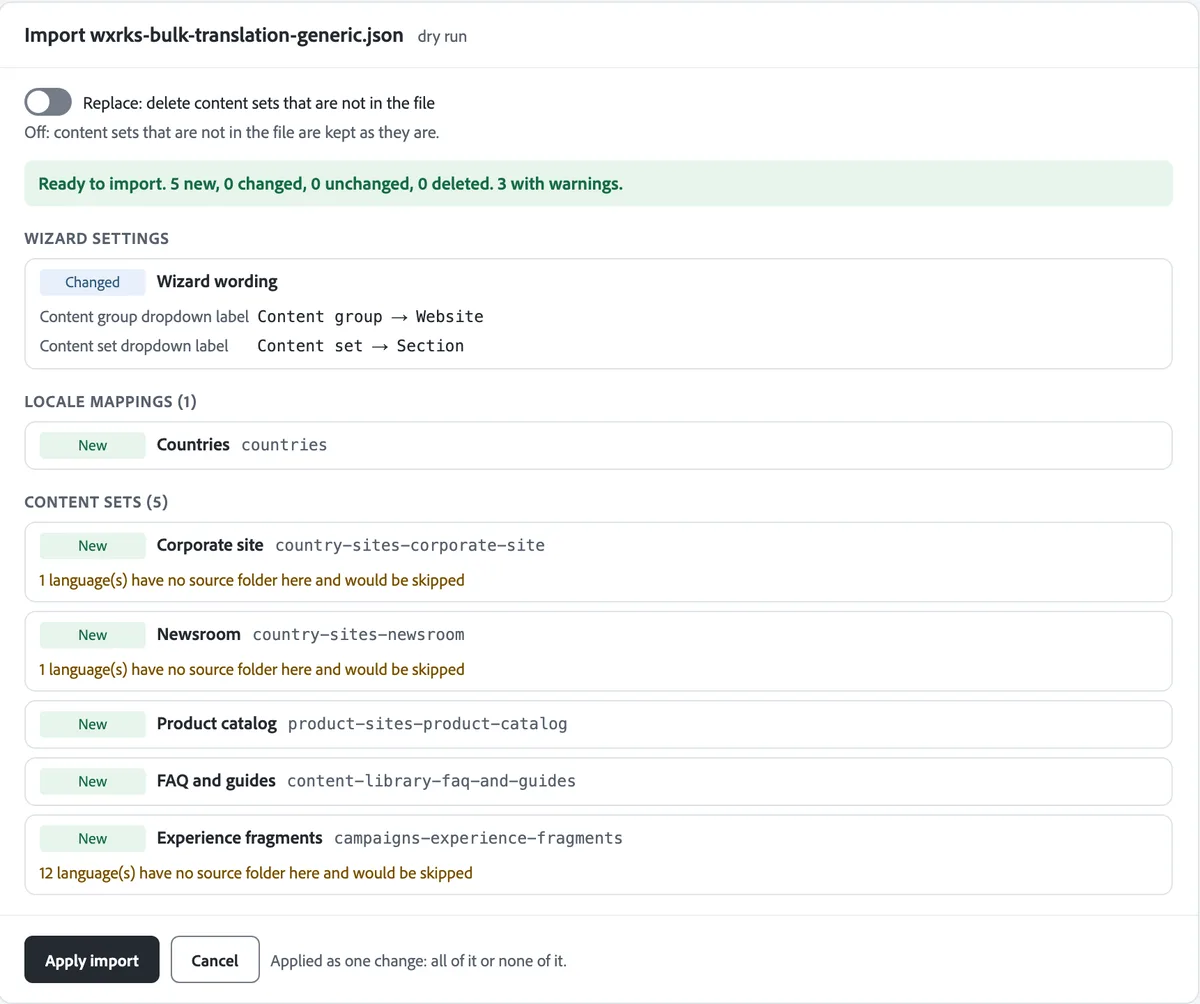
- 3Describe. Import a setup we build from your repository, or describe each kind of content on screen. A dry run lists every change before anything is saved.
Security
Ready for Your Security Review
Independently audited
SOC 2 Type 2, held since 2020.
Your region
AWS in the United States or the European Union (Ireland), your choice.
Your AEM stays closed
AEM calls wxrks over HTTPS. wxrks needs no way into your AEM servers.
Your data stays yours
No customer content trains any model. It is written into the data processing agreement.
Questions
Questions From AEM Teams
Which versions of AEM does it work with?
AEM 6.5 with Service Pack 21 or later, including 6.5 LTS, on your own servers or on Adobe Managed Services. On AEM as a Cloud Service? Talk to us about your setup.
Do we have to change how our sites are built?
No. You describe the structure you already have, and the wizard follows it.
What can we translate?
Pages, content fragments and experience fragments, sent as whole sites, sections or single pages.
What happens when a page changes after it was translated?
Send it again with Re-translate. The update arrives in an AEM Launch, and you publish it when it is ready. Sentences already in your translation memory are reused.
Can we still send a single page the usual AEM way?
Yes. The connector works with AEM’s own translation projects too. Bulk Translation is for many pages and languages at once.
Do our translators need access to AEM?
No. They work in wxrks, in your account, with your memories and glossaries.
How is wxrks priced?
By the volume you process, in one annual subscription. Your team, requesters and suppliers are not charged per seat. In enterprise plans, implementation, onboarding, training and asset import are included, so there is no first-year spike and no separate implementation invoice.